Distribution and wholesale
A distributor that takes reseller sign-ups on its site sends each one to the salesperson for that region.
 Colin
Talk to us
Start free
Colin Sales · Prospect
You build the form in Colin Sales and paste one line of code on your site. Whoever fills it in becomes an account and a contact, and the right salesperson is told. It doesn't depend on an e-mail reaching anyone's inbox.
The website's contact form sends an e-mail to sales@. Someone reads it and copies the name and phone into the CRM when there's time, and sometimes there isn't. The e-mail lands in spam, the inbox changes hands over the holidays, and the lead goes cold waiting.
And when someone asks where that customer came from, or whether they agreed to WhatsApp messages, nobody can say. Capturing leads on your site has to end inside the CRM, with an owner, with the source and the consent kept.
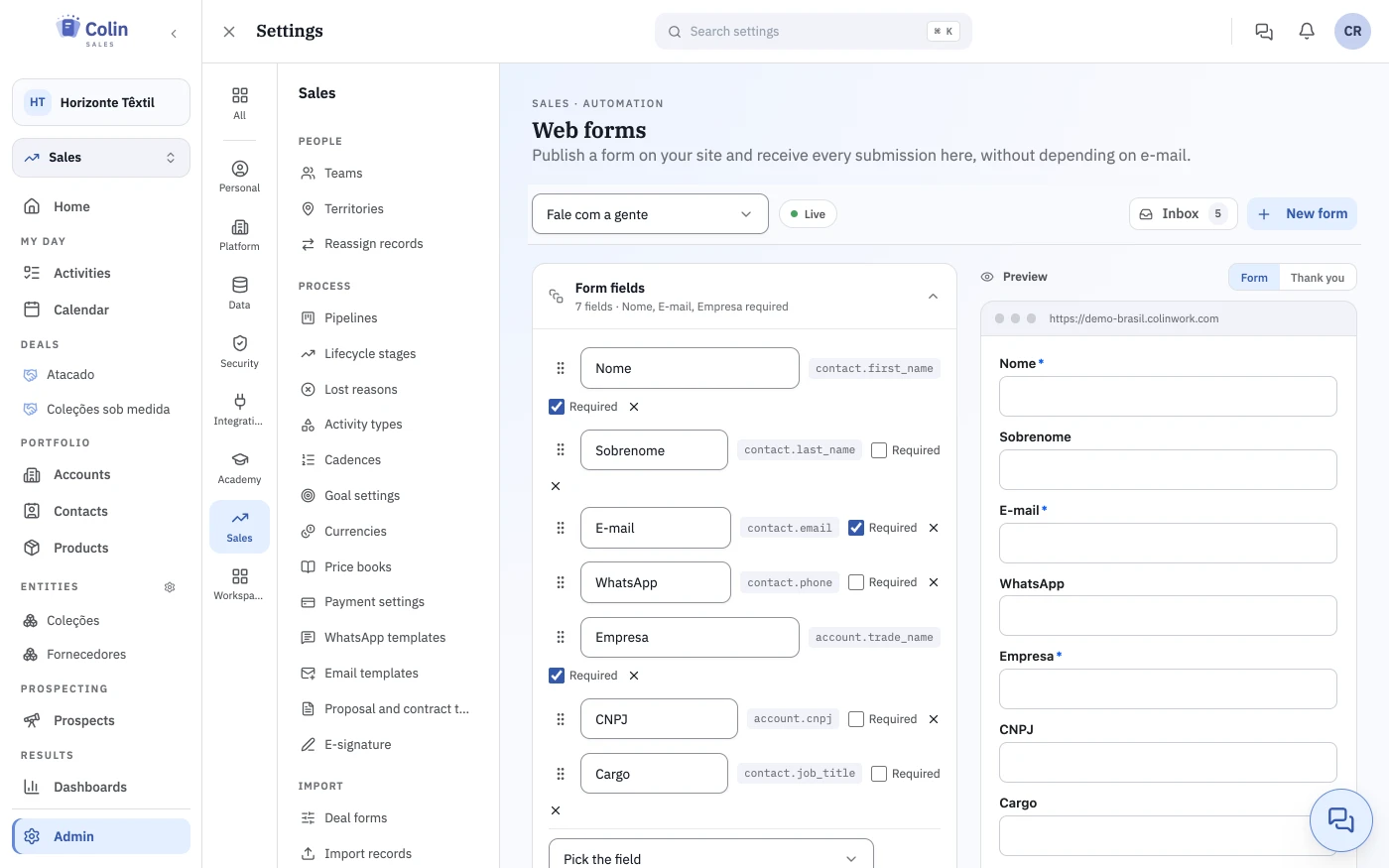
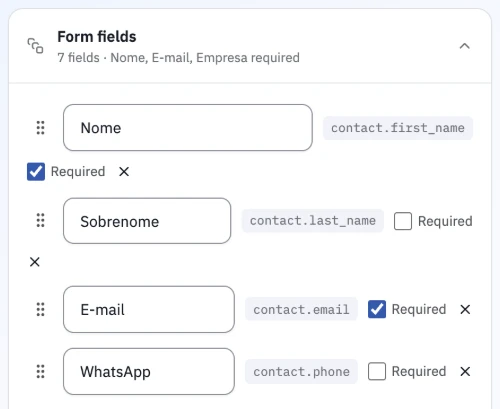
You pick the fields and the label each one shows. Beside each field you see where the answer lands: the contact's name, e-mail, company, CNPJ. On the right, a preview of the form on your site, with the thank-you message on a tab next to it.
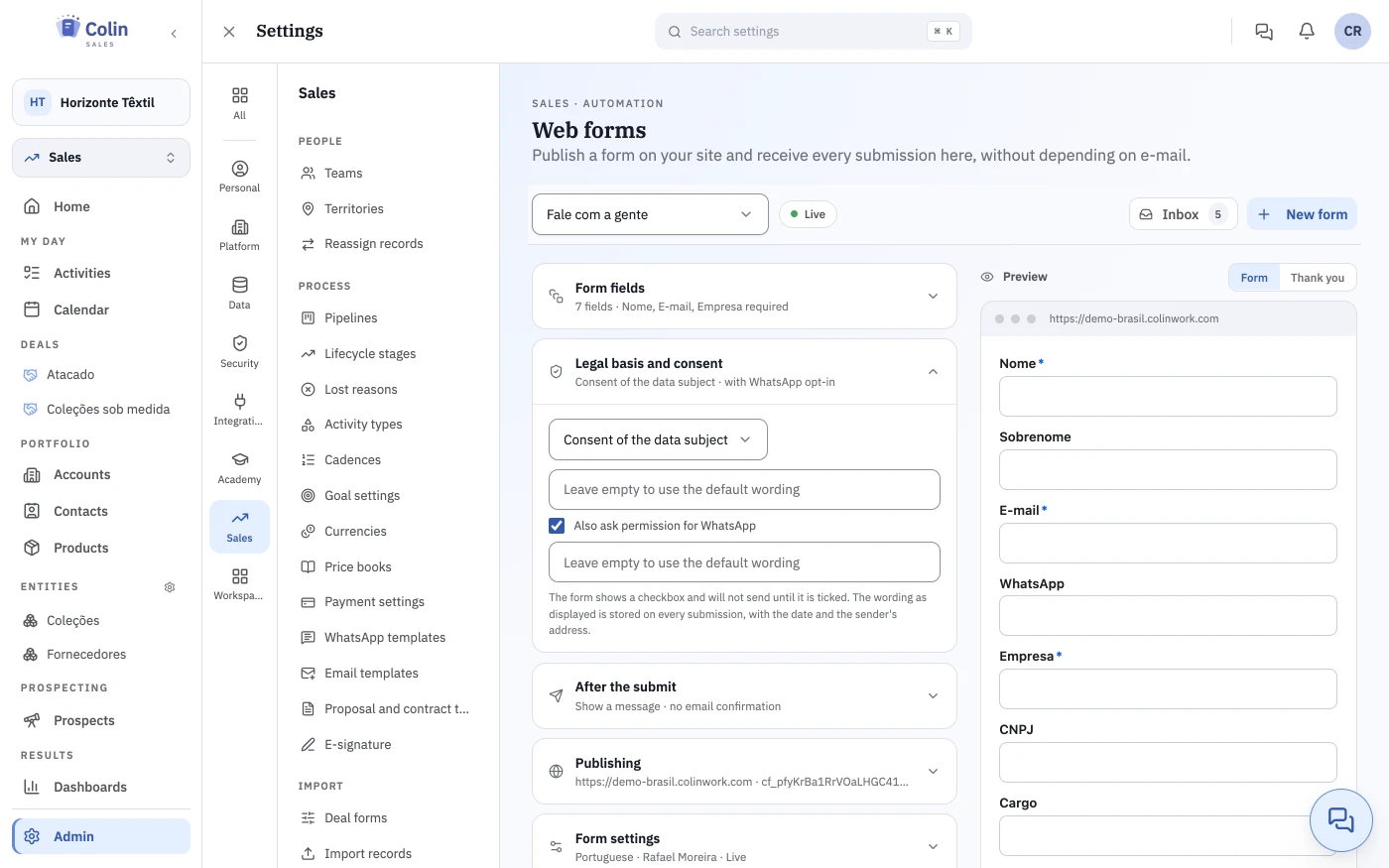
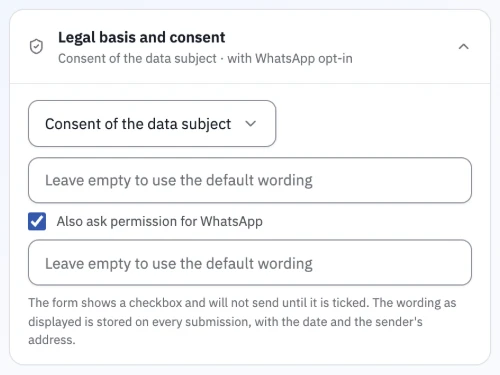
Choose consent of the data subject or legitimate interest. With consent, the form shows a checkbox and won't send until it's ticked. You can also ask permission for WhatsApp. The wording the visitor saw is stored on every submission, with the date.
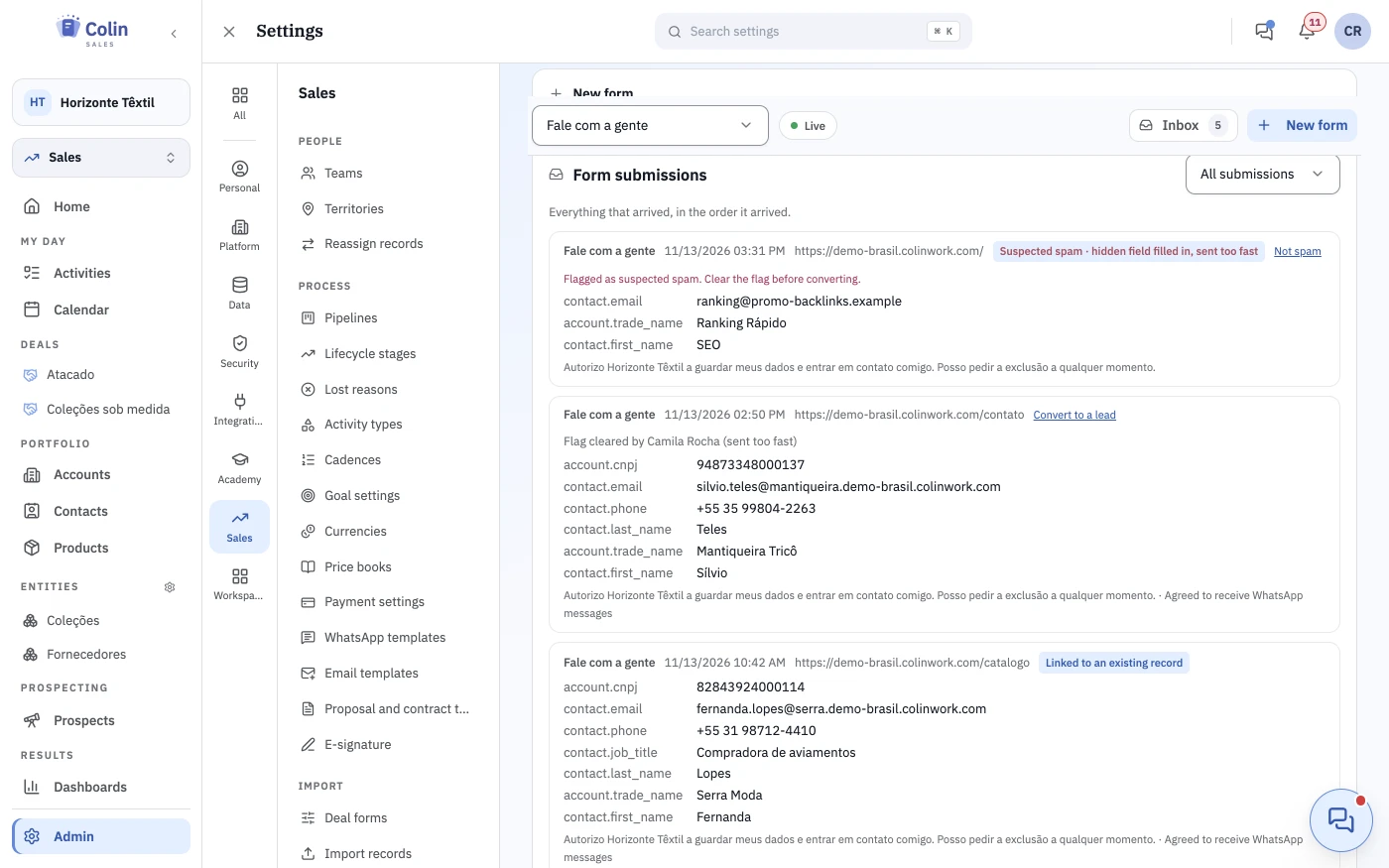
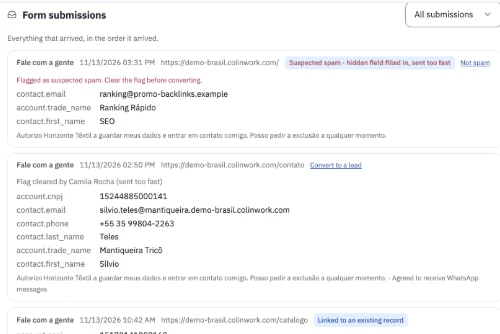
Submissions show up here, suspected ones included. The bot that filled the hidden field in under a second is flagged as suspected spam and never becomes a lead. Someone the CRM already knew shows as matched to an existing record, with nothing rewritten.
It works for any company with a website that wants the contact to turn into a sale. A few examples:
A distributor that takes reseller sign-ups on its site sends each one to the salesperson for that region.
A manufacturer that asks for the CNPJ on the form finds the account it already has and just adds the new buyer.
A software company capturing B2B leads on its site opens the deal right in the sales pipeline, at the first stage.
A services firm that needs LGPD consent keeps the wording the client agreed to, with the date.
The form speaks Portuguese, English or Spanish, one language per form. Colour, corner radius, font and spacing adjust to your site.
Submissions live in Colin's database on Microsoft Azure, Brazil South region (São Paulo). Each one is stored as it arrived and never changes afterwards: the answers, the page it came from and the consent wording the person agreed to.
Creating the lead, matching it to a customer or clearing a spam flag goes into the audit log, which nobody can edit. Personal data shows there masked.
A submission that became a lead stays as long as its record does, since it's the proof of where it came from. A flagged submission, or one nobody converted, goes away by itself after 30 days. If the contact asks to be anonymized, the submissions linked to them are wiped along with it.
It comes with Colin Sales and Colin Suite, at every user tier. Administrators, or whoever holds that permission, create and publish forms. Colin Sales starts at R$ 100 per user/month.
Each new account lands in the right territory and goes to the next salesperson on the team.
As many pipelines as you want, with your stages, each one's probability and who reaches the deals.
Type the CNPJ and the account comes filled with the Receita Federal's data.
Rules that act by themselves when something happens in the pipeline, or on a date you choose.
The account and contact that came from your site show up under Entities and can be linked to cards on your boards.
The salesperson gets the new-lead notice and finds the contact in the app, ready to call.
Consent stored on every submission, personal data masked in the audit log and anonymization when asked.
No. Anyone sending too many submissions in a short time is turned away at the door. The rest is stored, and what looks like a bot (hidden field filled in, sent too fast, many from one address) is flagged: it doesn't become a lead and sends no e-mail. If it's a real person, someone clicks Not spam and converts it.
No. The company is found by CNPJ and the person by e-mail or phone. When there's a match, the submission is linked to the existing record, and nothing the visitor typed overwrites what was there.
A new account goes through territories and round-robin, like any account created in Colin Sales. If no territory takes it, it goes to the fallback owner every form must have. The owner is told right away.
Only if you pick a pipeline on the form. Then each lead opens a deal at its first open stage. Without one, they become an account and a contact.
You choose the legal basis: consent or legitimate interest. With consent, the submission only goes once the box is ticked, and the wording shown is stored with the date and the address. WhatsApp permission is a separate box.
For the contact: first name, last name, e-mail, phone and job title. For the company: legal name, trade name, CNPJ, address and Instagram, plus your custom fields. There's no CPF field and no file upload.
If you turn it on, they get a confirmation sent from your own company's mailbox. It's just a receipt: the lead enters the CRM without waiting for anyone to click anything.
No. The form only accepts submissions from the addresses you allowed. Its public key can be changed at any time, and a deactivated form stops taking submissions at once.
Register a card, pick the apps and how many seats you want, and nothing is charged until the trial ends. Or we'll show you Colin with your company's boards and pipeline in 30 minutes.
 Chat on WhatsApp