Distribution and wholesale
A distributor that splits coverage by city or region sends each new customer to the salesperson for that area.
 Colin
Talk to us
Start free
Colin Sales · Manage
You say which states, municipalities, CNAEs or company sizes belong to each team. When a new account comes in, Colin Sales finds its territory and hands it to the next salesperson in line. Nobody has to decide by hand.
A sign-up comes in through the website form on a Monday morning. Whoever on the sales team sees it first takes it. Or nobody does, because everyone thinks it's someone else's. The manager finds out on Friday, when the lead has gone cold.
Then there's the spreadsheet of who covers which region, which nobody updates, and the rotation kept in someone's head, which always seems to favour somebody. A B2B sales team needs a rule everyone knows and the system keeps by itself, the same way every time.
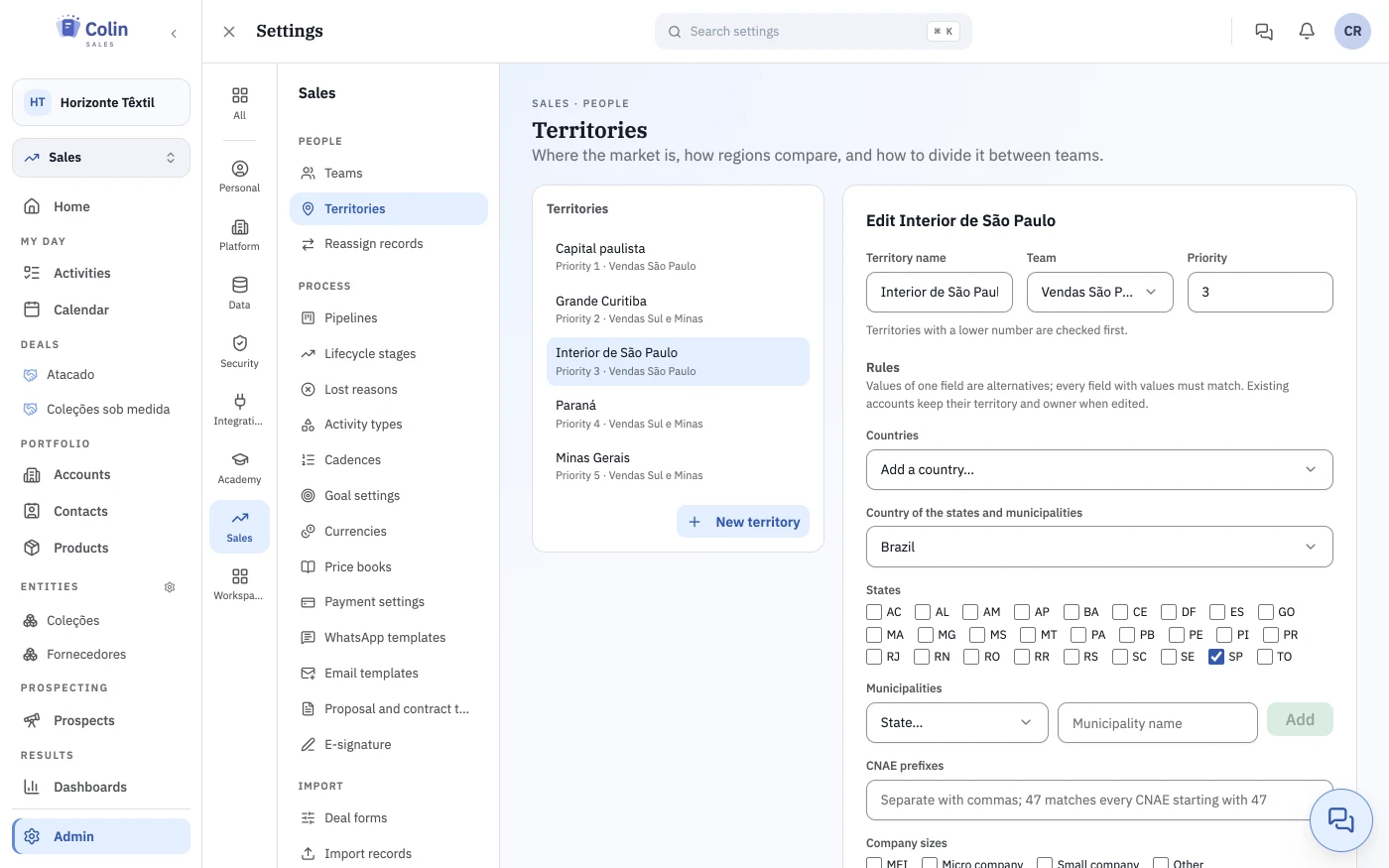
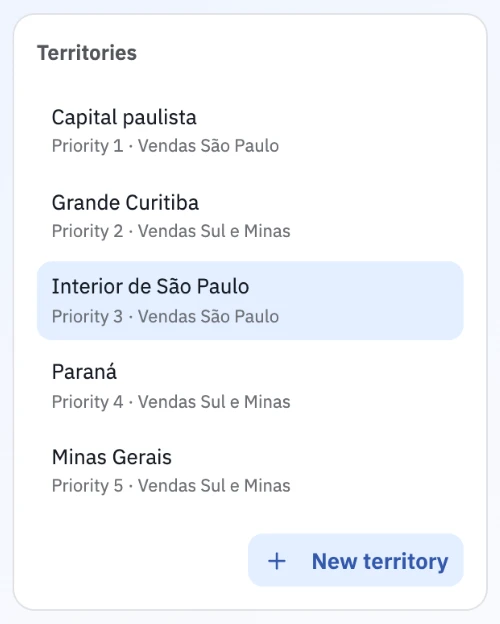
Each territory has a team, a priority and its rules. Here Interior de São Paulo takes the SP accounts that didn't fall into Capital paulista first. Colin tries territories from the lowest number up and keeps the first one that matches.
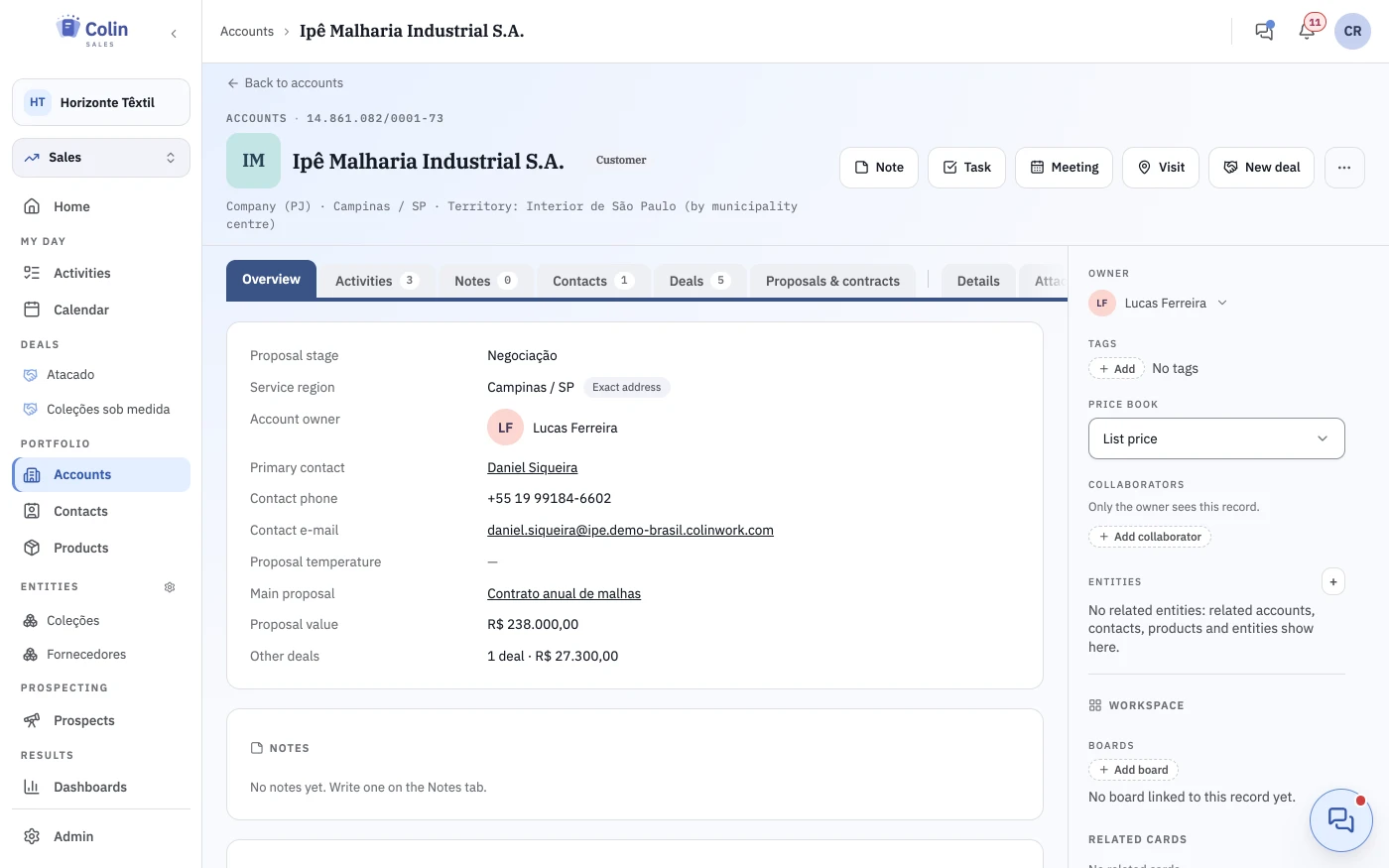
The account page shows the territory that took it, next to the city. The owner is whoever was next on that team. If the account's address changes later, its territory and owner stay the same.
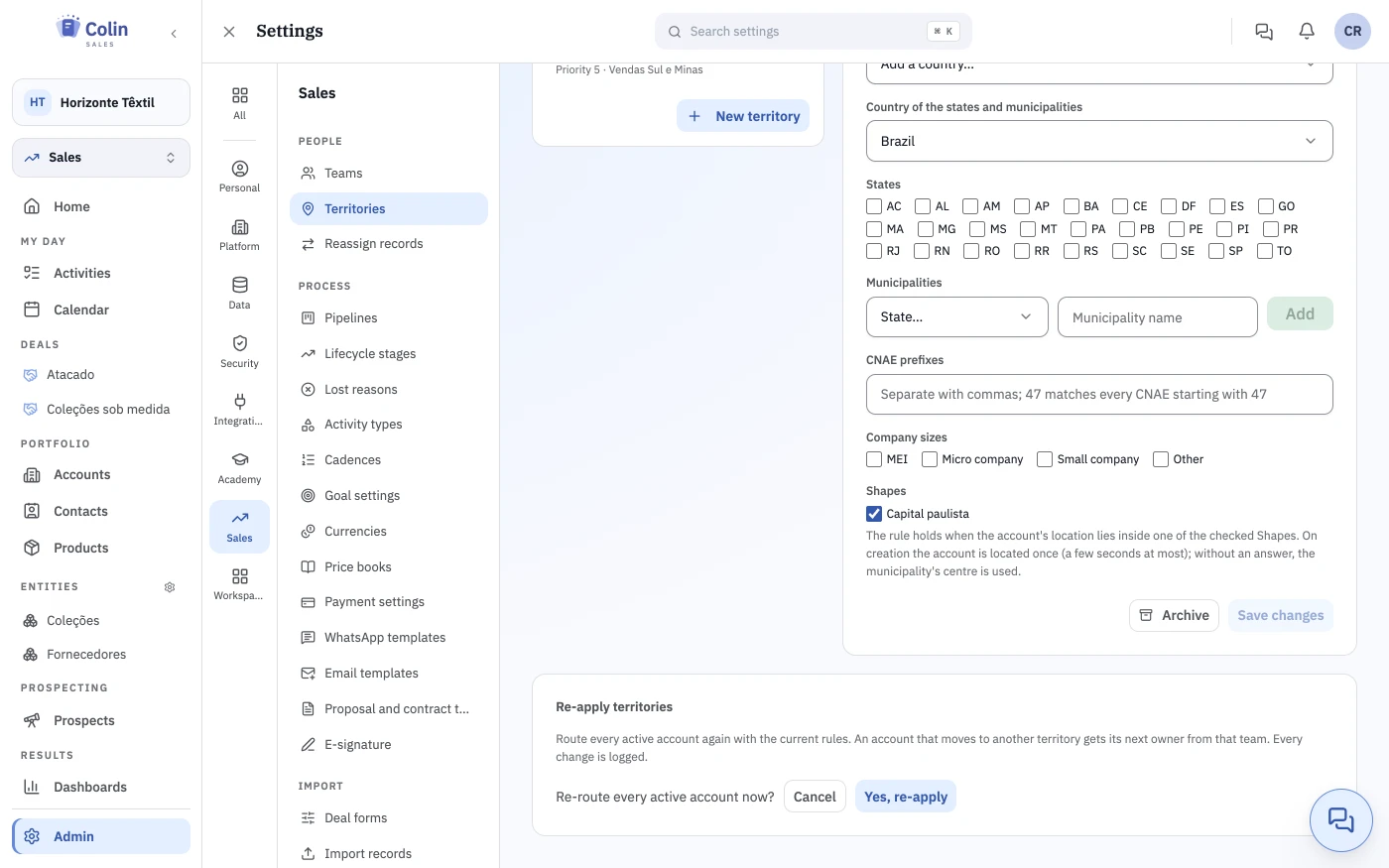
Changed the rules and want to redistribute the book? Re-apply territories runs every active account through the current rules at once, after you confirm. An account that changes territory gets that team's next salesperson, and every change is logged.

It works for any team with more than one salesperson and a market you can carve up. A few examples:
A distributor that splits coverage by city or region sends each new customer to the salesperson for that area.
A manufacturer with reps by state leaves each new reseller with its state's team.
An apparel maker serving multi-brand stores splits the capital from the interior and rotates salespeople inside each.
A software company that splits retail, industry or company size uses the CNAE and the size as its rule.
Already have accounts? Re-apply territories distributes your existing book with the new rules. An account that matches no territory keeps the owner it has.
Territories, teams and each salesperson's turn live in Colin's database on Microsoft Azure, Brazil South region (São Paulo). The round-robin queue is kept per team, so two accounts arriving at the same instant never get the same turn.
Every owner change goes into the audit log, which nobody can edit: a manual one with who made it, a Re-apply with the accounts that changed together. An archived territory isn't deleted; it just stops taking accounts.
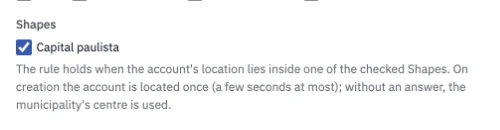
The state, municipality, CNAE and size rules use the account's own data. Drawing a Shape needs Colin's map, which runs on Azure Maps. At creation the account is located once, within a few seconds; if the map doesn't answer, the municipality's centre stands and registering carries on as usual.
It comes with Colin Sales and Colin Suite, at every user tier. Administrators, or whoever holds that permission, build and re-apply territories. Colin Sales starts at R$ 100 per user/month.
Type the CNPJ and the account comes filled with the Receita Federal's data.
Every submission from your site becomes an account and a contact in the CRM, with an owner.
The customer list becomes the day's route, and every visit keeps its check-in.
Find companies by activity and city in the public registry and bring them into the CRM.
The distributed account shows up under Entities and can be linked to cards on your boards.
Salespeople find the accounts they got right in the app, ready to call or visit.
Every owner change stays in the audit log, with who made it and when.
Each territory has a team. A new account goes to the next active salesperson on that team, and after the last one the queue goes back to the first. The team lead takes turns too, and anyone blocked is skipped.
Country, state, municipality, CNAE prefix (47 takes all of retail), company size and Shapes drawn on the map. Values of one field are alternatives; different fields must all match. A territory with no rules takes whatever is left.
Not by CEP range. Use the state, the municipality or a Shape drawn on the map.
No. Territory and owner are decided at creation. After that they change only if someone changes the owner by hand or an administrator re-applies territories.
Your choice stands. Colin still records the territory, but nobody's turn is used up.
Yes. An account created by hand, by spreadsheet or through your website form goes through territories the same way. A migration from another CRM is the exception: it keeps the owners you already had.
Yes. A manager sees the accounts of the salespeople on the teams they lead and the accounts in those teams' territories.
Only to draw Shapes. State, municipality, CNAE and size work without it.
Round-robin splits the volume evenly; territories send each account to whoever knows the patch. When to use each, when to combine them, and the details that make the rule work.
Pulling the legal name from the Receita Federal is the start. A good B2B CRM checks the CNPJ's digits, stops the repeated company, lets you carry on when the lookup is down and uses the CNAE and region to give the account an owner.
Register a card, pick the apps and how many seats you want, and nothing is charged until the trial ends. Or we'll show you Colin with your company's boards and pipeline in 30 minutes.
 Chat on WhatsApp