Fashion and apparel
The designer approves the sample from the factory: opens the card, ticks the checklist and completes it, and the office board already shows it.
 Colin
Talk to us
Start free
Colin · In every app
Colin has an app for iPhone, iPad and Android, and the iPhone app brings an Apple Watch app along. It is one app with Sales and Workspace inside, and you switch between them without leaving it. A rep sees the day's activities, calls the customer with one tap and logs the visit. Whoever runs the boards creates cards, ticks the checklist and completes them. A good part of that works without internet.
The rep spends the day on the road. Leaves one customer, gets in the car and only remembers what was agreed at night, at home, opening the laptop. If they remember at all. The designer is at the factory, in the middle of cutting, and the sample approval waits for her to get back to the office.
Then there is the signal. At the customer's plant, in the warehouse, on the road between two towns, 4G drops. An app that only works online becomes an app nobody opens, and the note goes back to the paper pad.
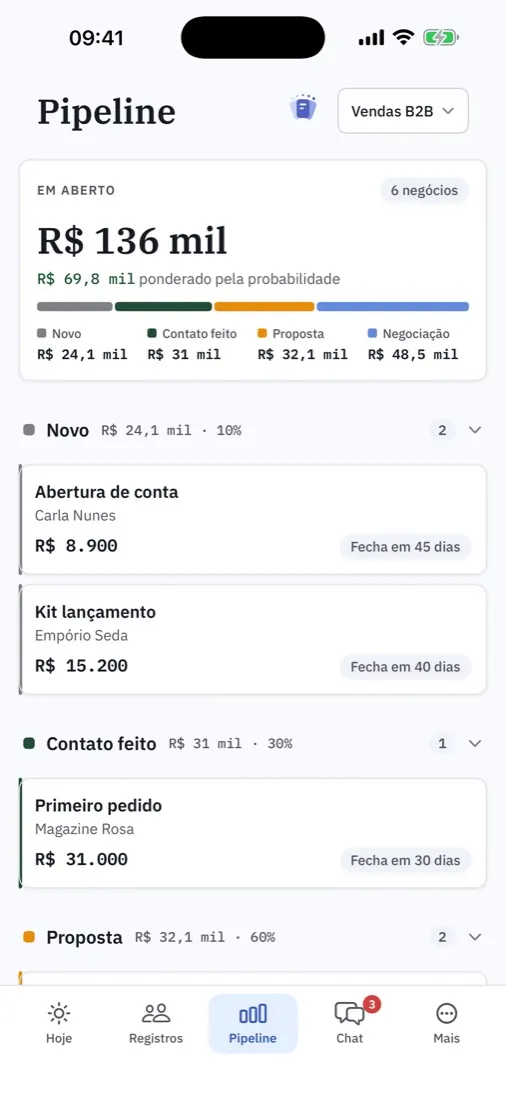
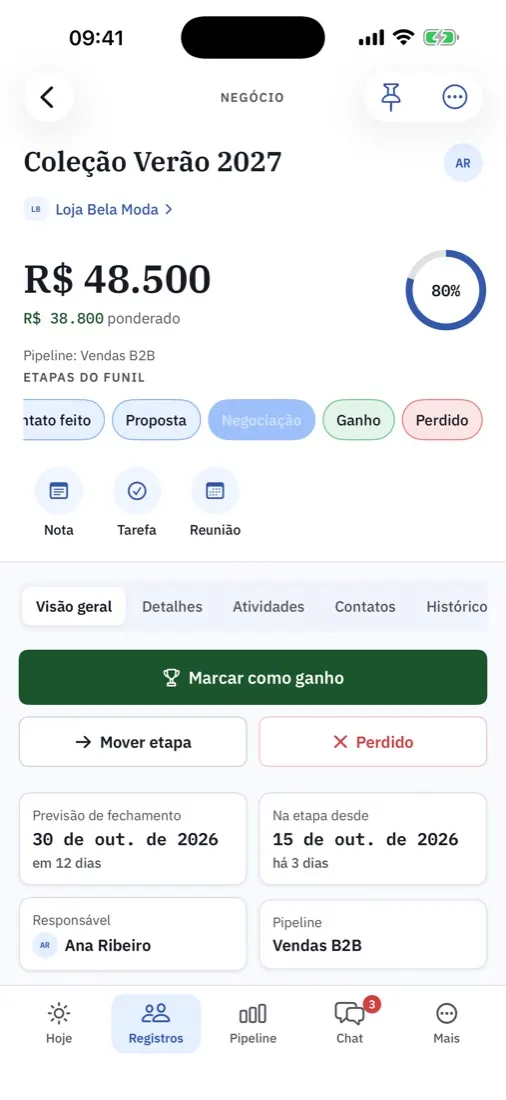
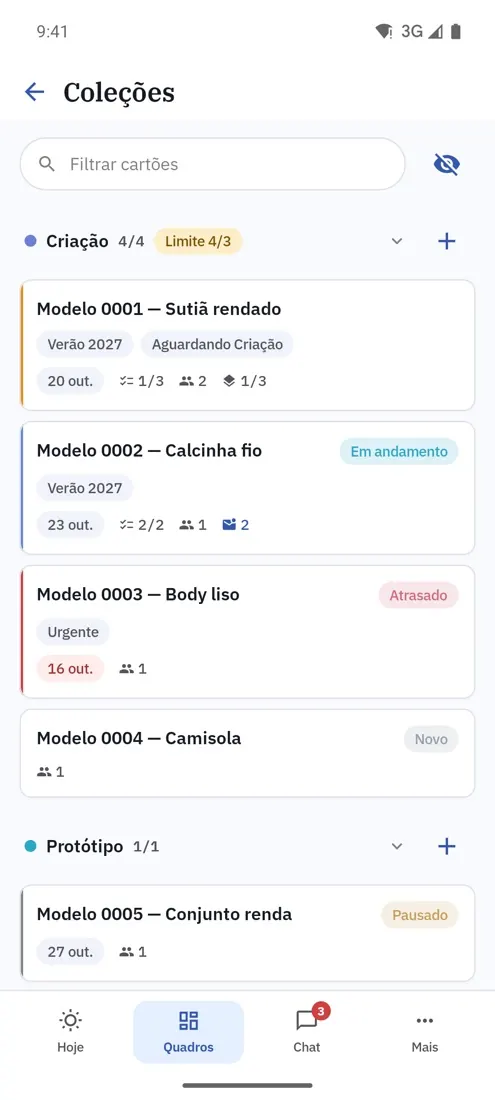
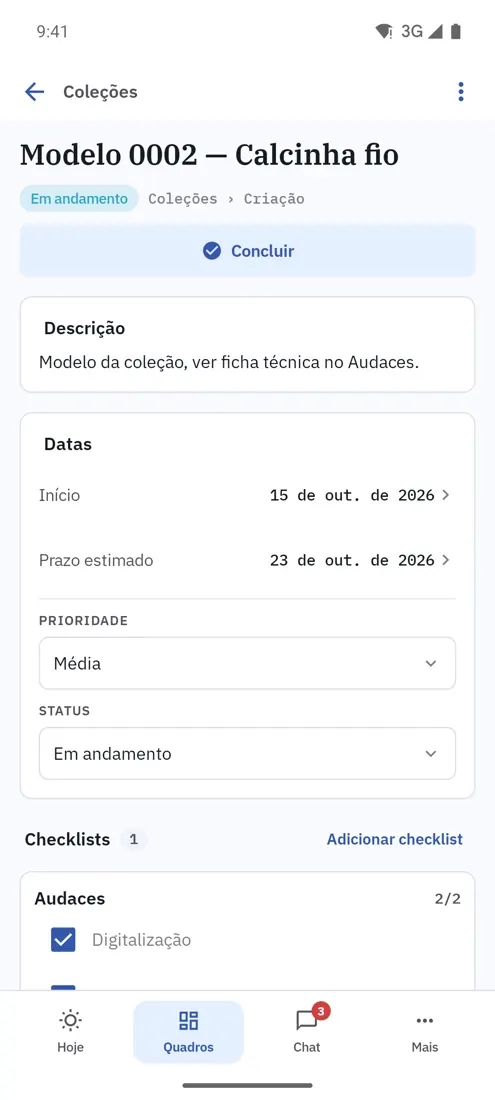
These are real screens of the app, as shown on the App Store and Google Play. They are in Portuguese; the app also comes in English.
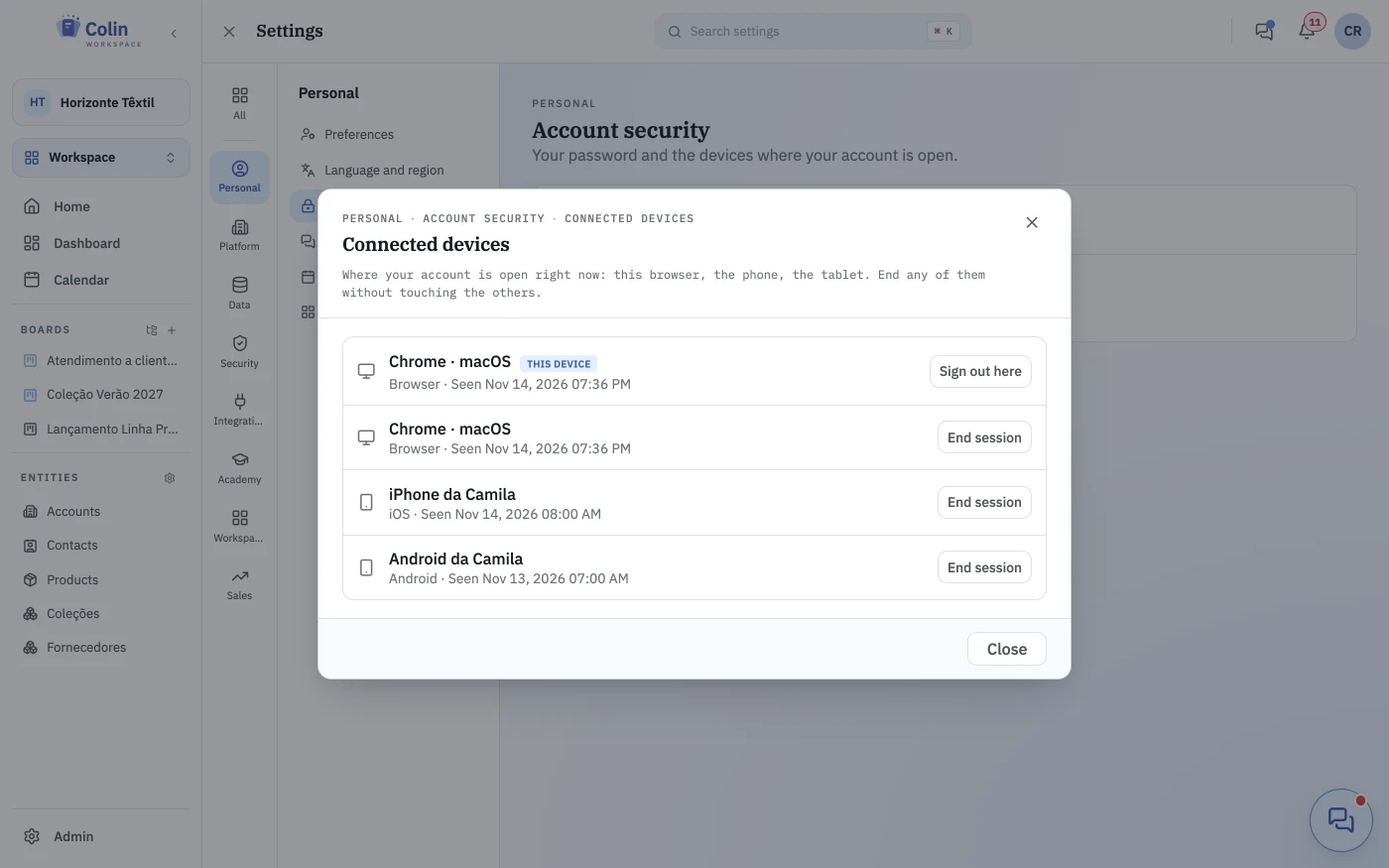
In Settings › Personal › Account security, Camila sees where her account is open: this browser, the iPhone and the Android, with the last time each one talked to Colin. Lost the phone? She ends its session from here, and the app wipes what it kept on the device. Each person has up to five devices signed in at once.
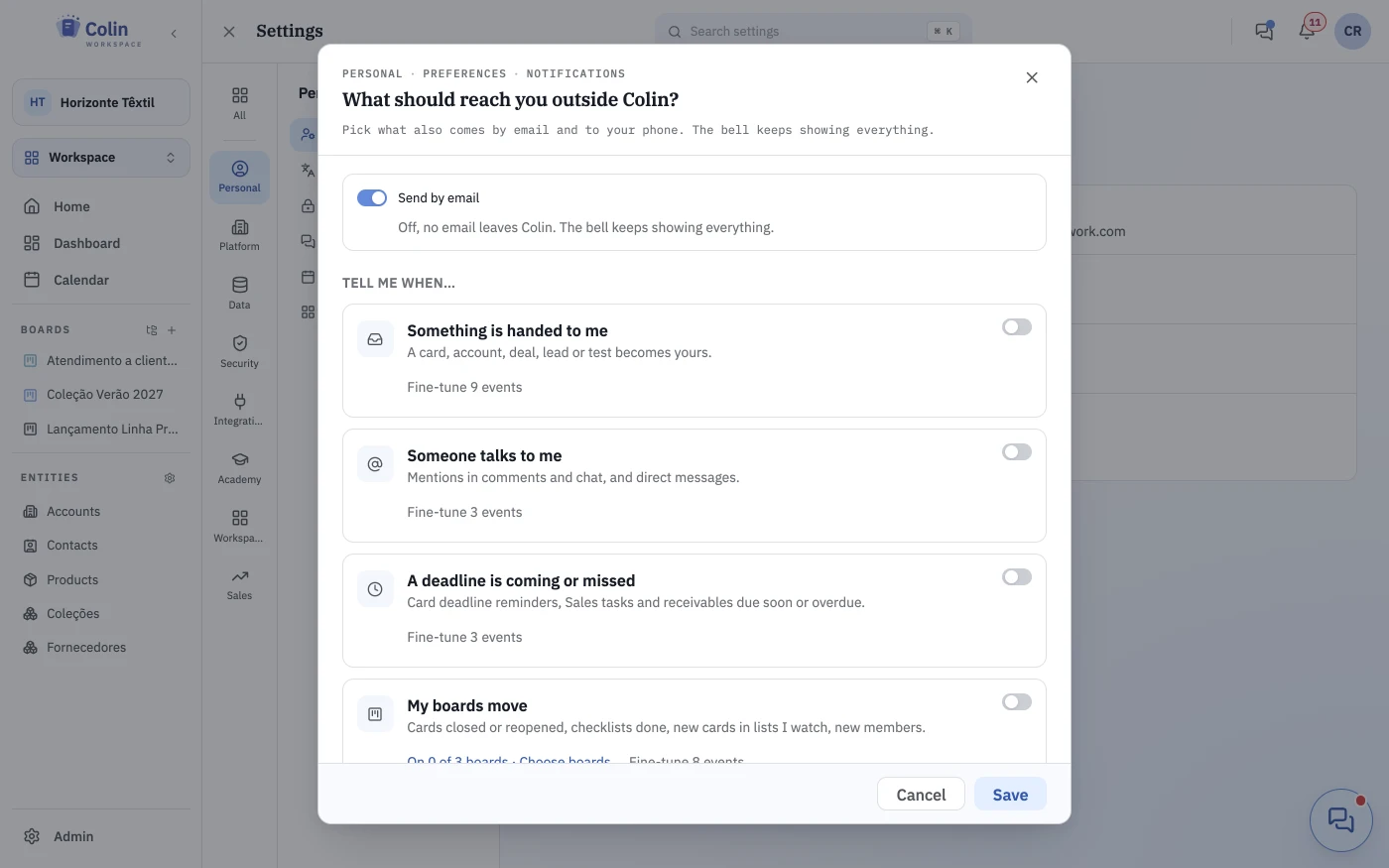
In Settings › Personal › Preferences, each person picks what also comes by email and to the phone: something handed to them, a mention, a deadline, a deal. The notice arrives in their language, and Colin's bell keeps showing everything.
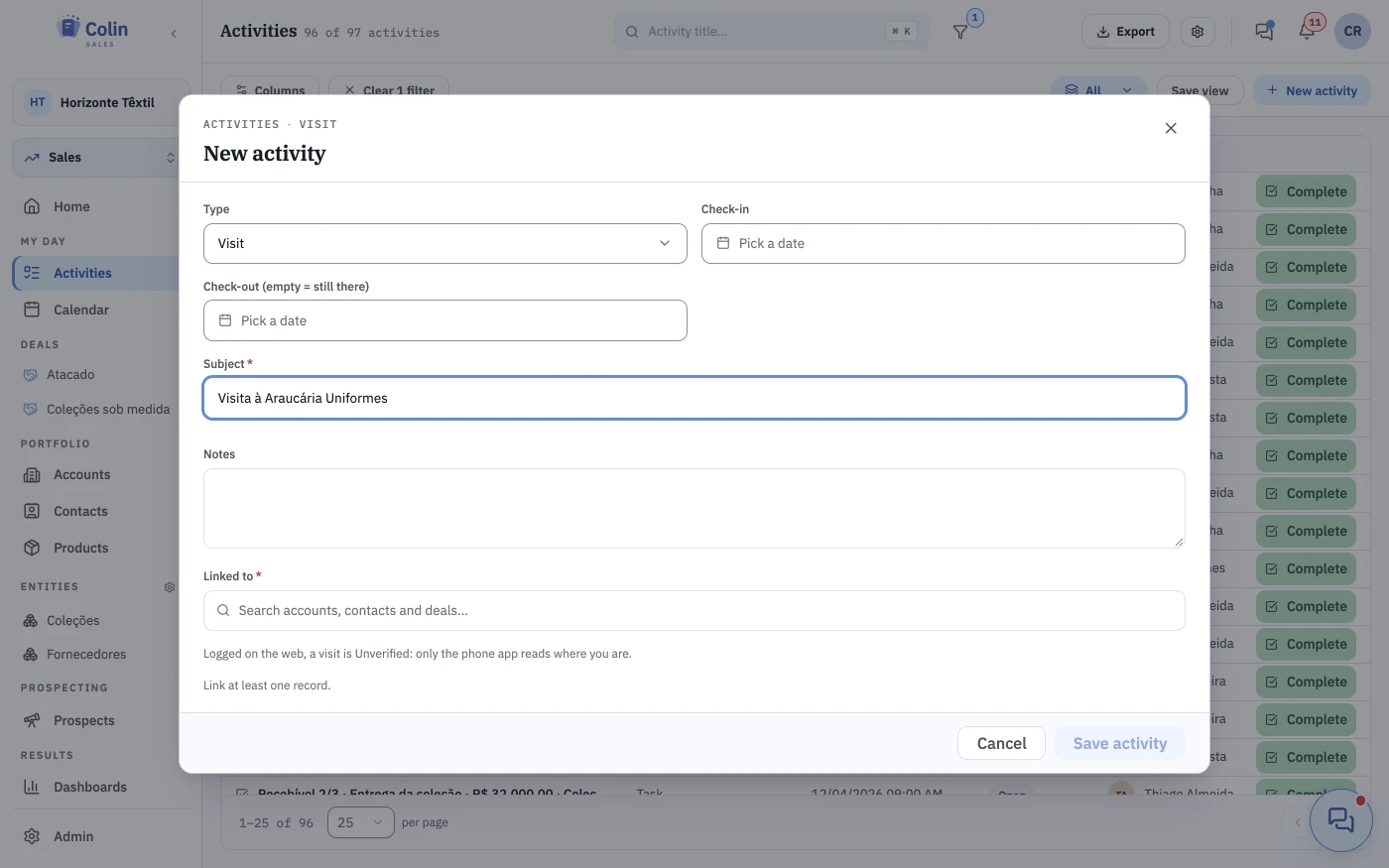
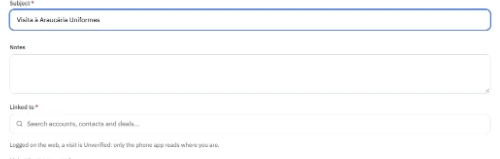
You can log a visit on the web, but only the phone app reads where you are. On the phone, the check-in reads the location once, at that moment, and flags the visit as off-site when the rep is far from the customer. It never refuses the check-in and follows nobody for the rest of the day.

The app matters most where the work moves: on the road, at the plant, at the customer's. Some examples:
The designer approves the sample from the factory: opens the card, ticks the checklist and completes it, and the office board already shows it.
The sales rep runs the day's route with Today open, checks in at each customer and logs the order between one visit and the next.
The technical rep visits the customer's plant with no signal on the floor and logs the conversation right there. It syncs once he is back in the car.
The team that works at the customer's home completes the job's card from the watch, without taking the phone out of the pocket.
The team that sells and delivers follows the deals and the project's cards on the phone, and answers the chat between meetings.
If you like, turn on the Face ID, Touch ID or Android biometric lock in the app's settings. And choose on the web what comes as a notification.
The app keeps your working day on the device: the accounts, contacts, deals and activities you touched in the last 90 days, and the cards and boards you can see. It never keeps a record you could not open on the web. Who sees what, who a new account goes to and what automations do is decided by the server, never by the phone.
Without signal, the app takes part of the work and keeps it in a queue: in Sales, activities and field edits; in Workspace, creating cards, field edits, completing, reopening, moving, checklists and comments. Moving a deal to another stage, the chat and the rest need a connection. When the signal comes back, the queue syncs. If someone changed the same thing first, the server's version wins, and the app shows you what did not go through instead of quietly merging the two.
The app wipes itself from the device when the person is blocked, loses access to the app, has the session ended from the web or when someone else signs in on the same phone. The watch is wiped with the phone. With the watch locked, the complications show only the time and the kind of appointment, never the customer's name.
The app comes with Colin at no extra cost. Each person sees on the phone the apps they already use on the web: Sales, Workspace or both.
A rep's day on one screen: the agenda, what's overdue and the next step with each customer.
Boards with your process's lists and cards with an owner, a deadline, a checklist and the conversation.
Rooms, direct messages and a link to a deal or a card turned into a record card in the conversation, for everyone in the company.
Today with what is overdue, what is due today and the next seven days, accounts and contacts with search, the pipeline by stage and the visit with check-in.
Today, Boards, Chat and More: your day's cards, the boards you follow, the checklist and the comments.
The App Store and Google Play links.
Biometric lock, sessions you end from the web and an app that wipes itself when the person leaves.
Partly, and we tell you exactly which part. In Sales you can log and complete activities and edit fields of accounts, contacts and deals. In Workspace you can create cards, edit fields, complete, reopen, move, use the checklist and comment. All of it syncs when the signal comes back. Moving a deal to another stage and the chat need a connection.
For the rep's day, yes: activities and field edits work without signal and sync later. The rest of the CRM, like moving deals through the pipeline, needs a connection.
Whatever reached the server first wins. The app shows you your change that did not go through, so you decide what to do, instead of mixing the two.
Yes. The same app runs on iPhone, iPad and Android phones and tablets.
See Today in Sales and Workspace, complete an activity with its outcome, complete or reopen a card, tick a checklist item and check in and out of a visit. The watch talks only to your iPhone.
Administration, dashboards, import, automations, forms and territories. Colin QA opens the web from the app.
Sign in to Colin on the web, go to Settings › Personal › Account security and end the phone's session. The app wipes what it kept on the device.
They come in the language you chose in Colin: English, Portuguese or Spanish. And only the ones you switched on in your preferences arrive.
Register a card, pick the apps and how many seats you want, and nothing is charged until the trial ends. Or we'll show you Colin with your company's boards and pipeline in 30 minutes.
 Chat on WhatsApp