Fashion and apparel
A fashion brand with an online store follows the collection launch on a board, and each change to the site is an issue in the store's repository.
 Colin
Talk to us
Start free
Colin Workspace · Integrate
The development team stays on GitHub. Everyone else stays on the board. The card and the issue are the same thing in both places: what one side writes, the other reads, and the merge that closes the issue completes the card.
At a company with a website, an online store or its own system, development work starts outside GitHub. Marketing asks for the new filter on the store. Sales needs the free shipping. They follow everything on a board, because they don't use GitHub and have no reason to.
Then someone copies the request into an issue. From that moment there are two versions. The developer comments on the issue, the manager comments on the card, and nobody reads the other's comment. The issue closes on a Tuesday and the card stays In progress until someone asks about it in the meeting. Every week somebody spends an hour checking one list against the other.
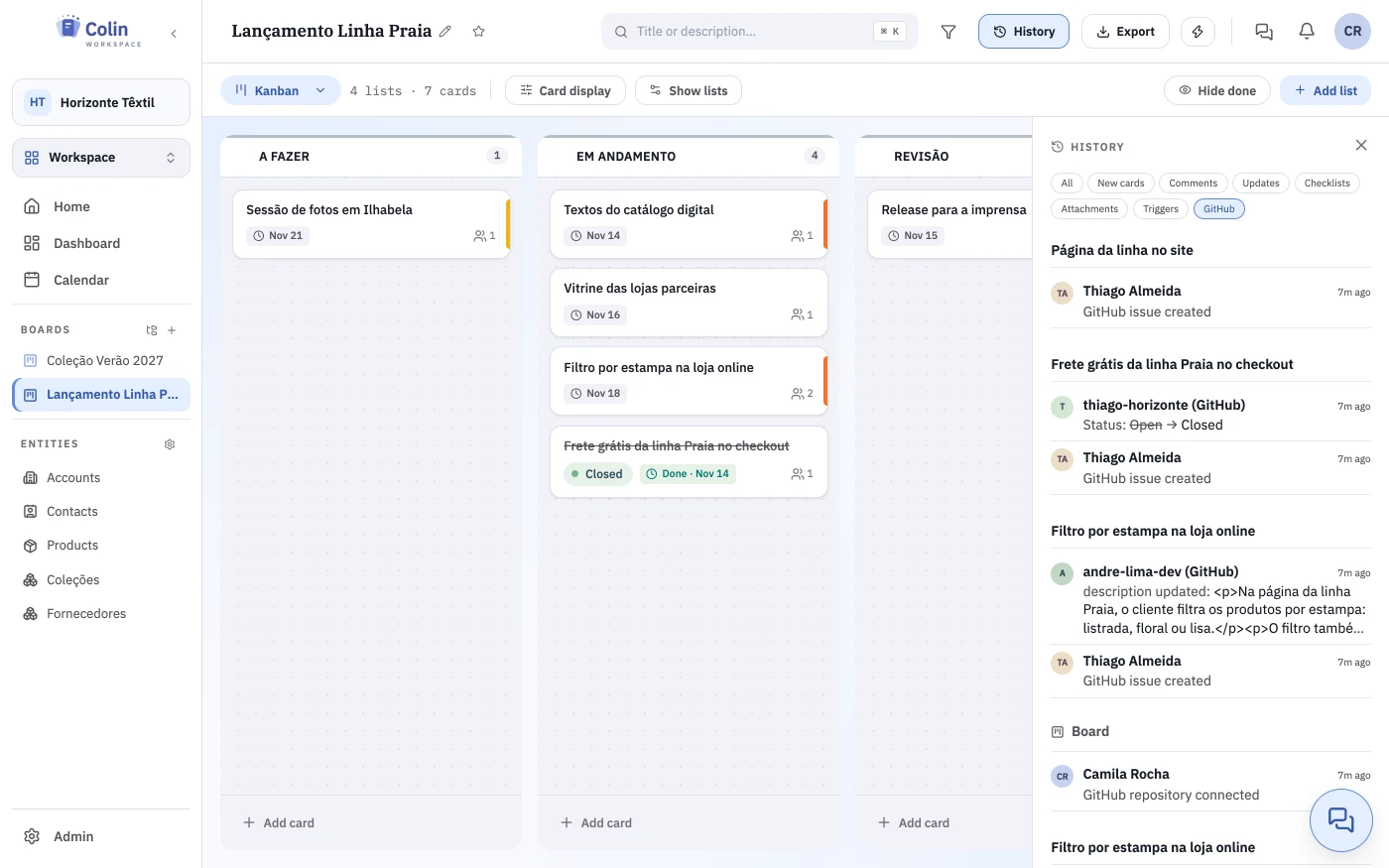
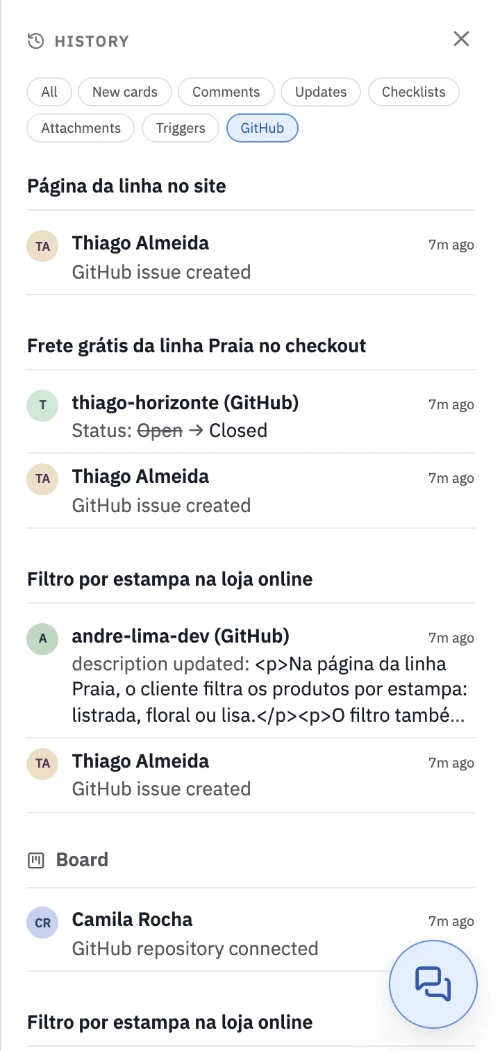
In the board's History, the GitHub filter keeps only what came from GitHub or went there, card by card: the issue created, the status that changed because the issue closed, the description a developer edited, the repository connected and the merged pull requests. Whoever did it shows up with their GitHub username.
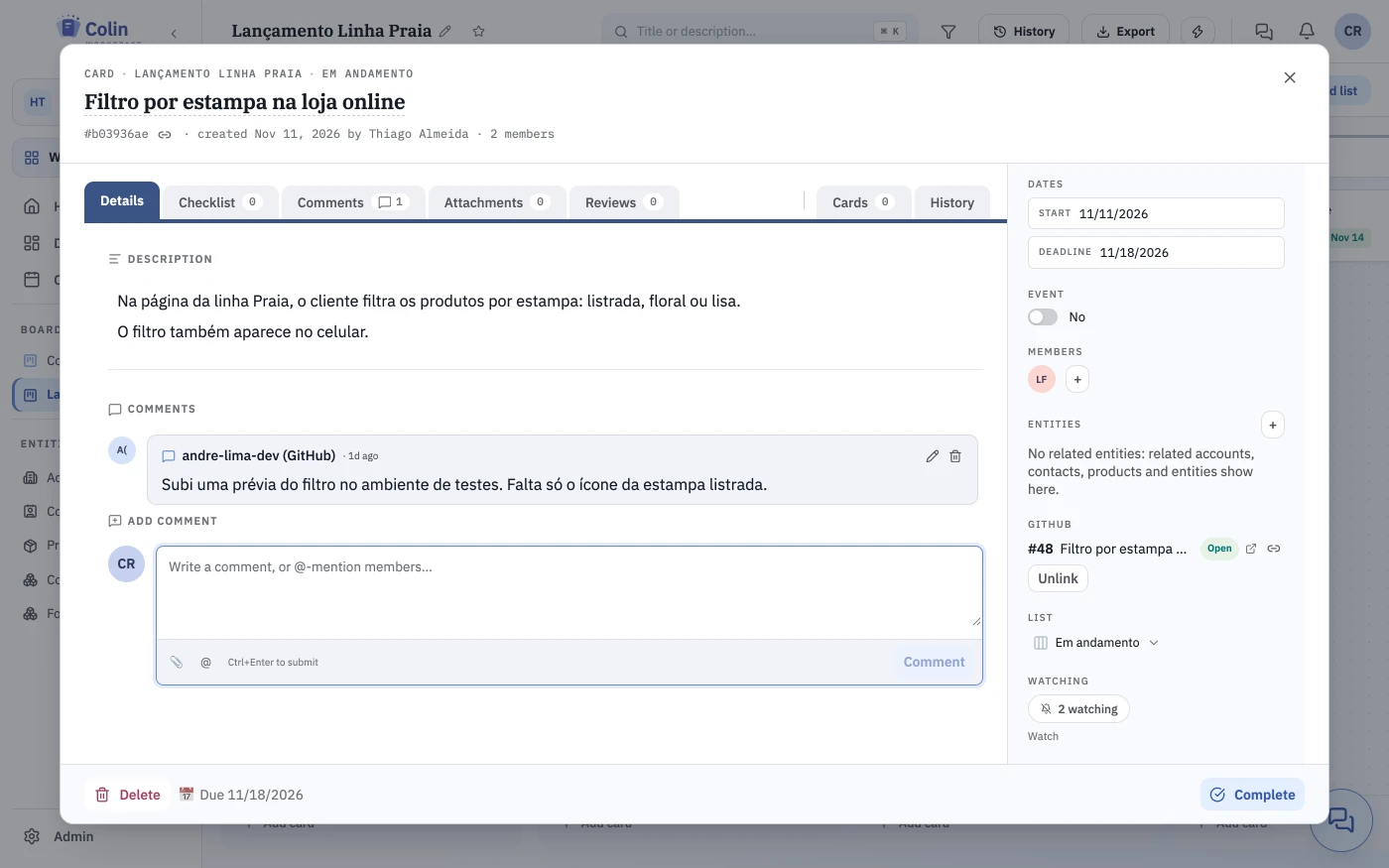
The card shows its issue in the side panel: the number, the title, whether it's open or closed, a link to open it on GitHub and another to copy it. The comment the developer left on the issue is already in the card's comments, under their name.
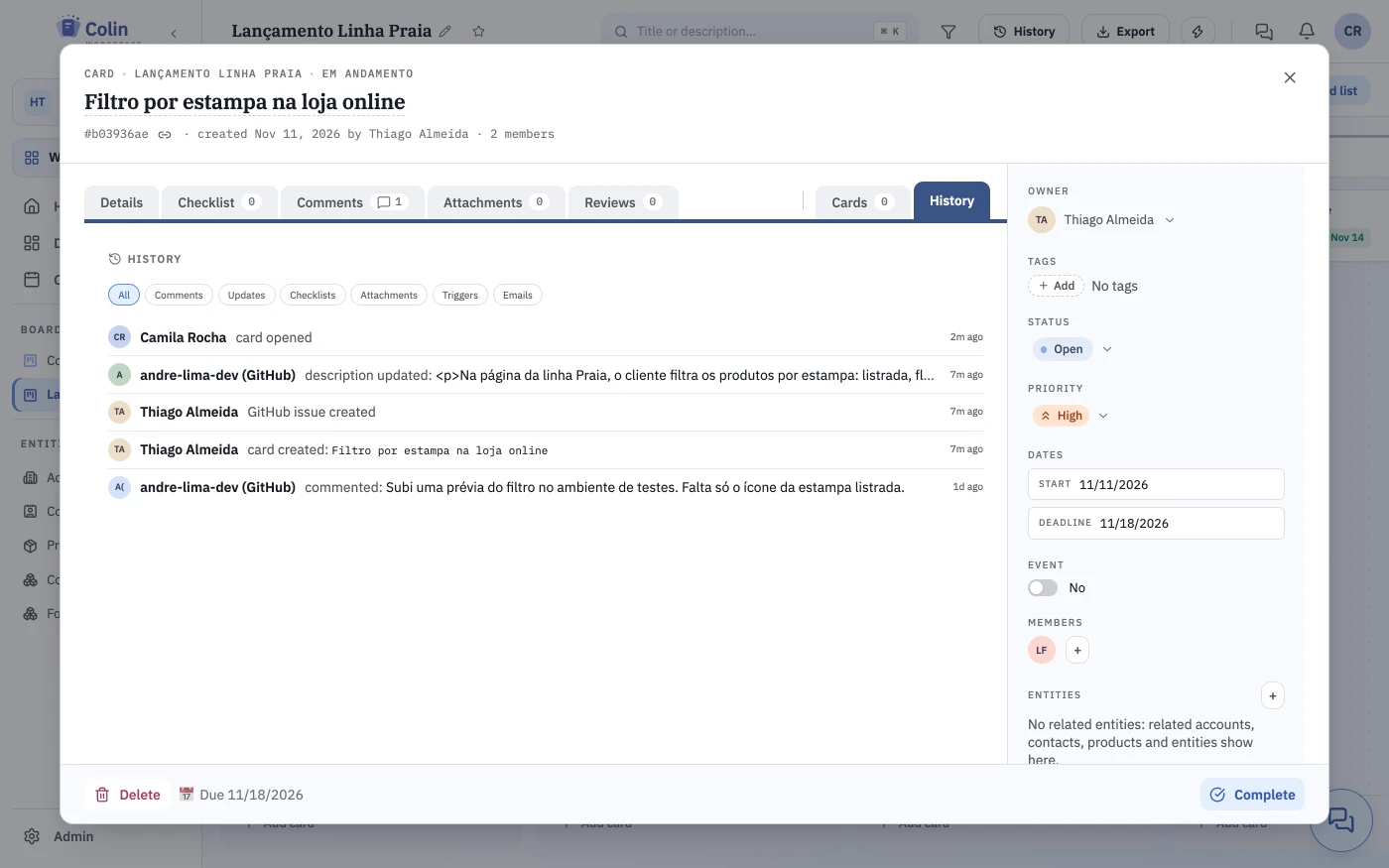
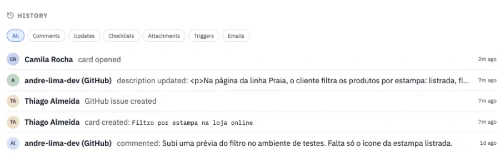
In the card's History, what arrived from GitHub carries its GitHub author: here, the comment and the description updated by andre-lima-dev, next to the card and the issue Thiago created in Colin. Nothing comes in without leaving a record.
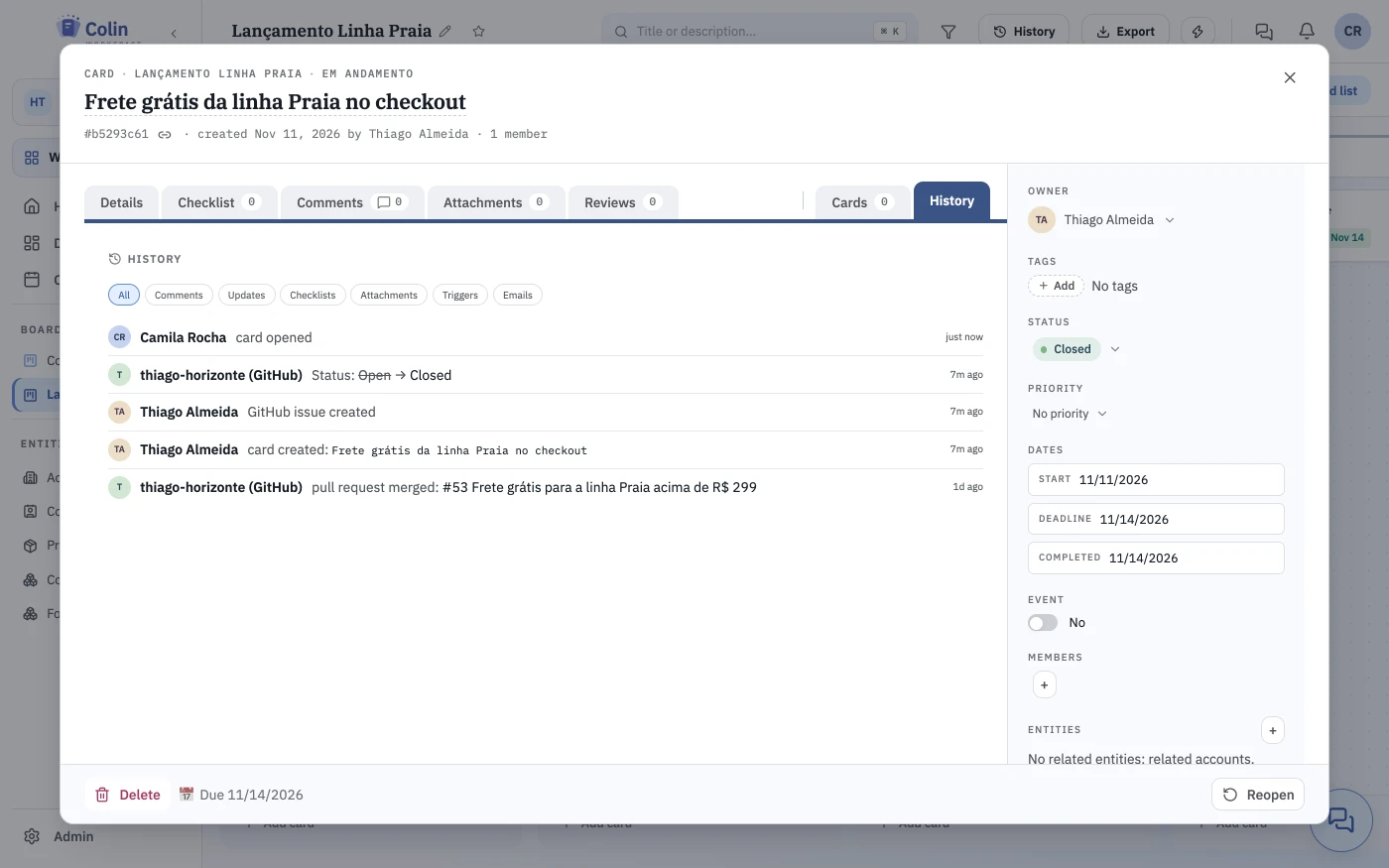
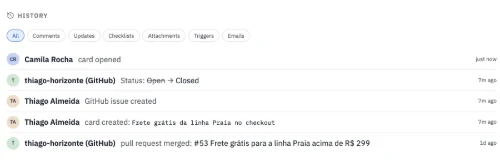
The pull request said Closes #51. When it was merged, GitHub closed the issue, and Colin closed the card. The history shows both steps: the merged pull request, with its number and title, and the status that changed to closed through GitHub.

Whenever people who don't use GitHub need to follow what the development team is doing. A few examples:
A fashion brand with an online store follows the collection launch on a board, and each change to the site is an issue in the store's repository.
An agency that builds client websites keeps its account managers on the board and its developers on GitHub, each seeing the same progress.
A builder with its own app for customers keeps the site requests and the app's issues on the same board.
A software company keeps support and product on the board, and the bug a customer reported closes by itself when the fix is merged.
A services firm with a customer portal puts the sales team's requests on a board, and the technical team gets each one as an issue.
On the same board tab you can switch on an intake label, so issues opened on GitHub with it become cards on a list, and import the last 90 days of merges into the history.
Every change that arrives from GitHub goes into the card's history like a person's, with the GitHub username as its author. When that username is tied to someone at the company, it shows that person's name. And the change goes through the same rules as a change made in Colin, the board's Triggers included.
On GitHub, Colin always acts as its own app, never as a person. What it writes there carries a note naming whoever wrote it in Colin. Sync never deletes anything: if the issue is deleted or transferred, the card stays, and the link ends with the reason noted.
If GitHub refuses a change, the card shows Out of sync with the reason and a button to try again. If the installation is suspended or removed, administrators get a notice and changes wait until the connection is back.
It comes with Colin Workspace and Colin Suite, at every user tier. On the GitHub side, all it takes is installing the Colin app on the company's organization or account. Colin Workspace starts at R$ 84 per user/month.
Boards with your process's lists and cards with an owner, a deadline, a checklist and the conversation.
When, if and then rules that move cards, call people in and tell other systems, on their own.
GitHub is one of Colin's integrations. Beyond it, Triggers call other systems' APIs through a Connection, and Colin works with e-mail and calendars.
Title, the description and the issue's body, comments, status (a final status in Colin closes the issue, and a closed issue completes the card), labels, members and assignees, and checklists as the issue's task lists. On an organization's repositories, the start date, deadline and priority too, through GitHub's issue fields.
The list the card is on, Colin's custom fields, sub-issues and dependencies. Attachments cross as links: a Colin file shows up on GitHub as a link that asks for a Colin login, and a GitHub file shows up in Colin as a link to GitHub.
No. Whoever only uses the board works only in Colin. A GitHub account is for people who want to be assignees on issues and see their own changes under their name.
The last change wins. Colin recognises the echo of what it sent itself, so sync doesn't bounce back and forth.
Only when the board switches on the intake label. An issue opened with that label, or given it later, becomes a card on the list you chose, already linked. Removing the label doesn't delete the card.
Whoever holds the permission to connect boards to GitHub, which starts denied for everyone until an administrator grants it. Creating or linking issues from cards is a separate permission.
Yes. Each board has at most one repository, but the same repository can be tied to several boards.
GitHub Projects lives inside GitHub, so everyone who follows the work needs an account there. Trello's Power-Up attaches the issue to the card. In Colin, the card and the issue are the same work, synced both ways, and people who aren't developers stay on the board.
Register a card, pick the apps and how many seats you want, and nothing is charged until the trial ends. Or we'll show you Colin with your company's boards and pipeline in 30 minutes.
 Chat on WhatsApp