Fashion and apparel
A garment maker sends sketches, the print and the colour card to the collection's client and only releases cutting once everything comes back approved.
 Colin
Talk to us
Start free
Colin Workspace · Control
You gather the artwork on the card and send a link. The client opens it in the browser, with no account to create, marks what they want changed on the piece itself and approves or asks for changes on each one. The next round carries only what changed.
The print goes by e-mail, the sketch by WhatsApp and the colour card as an attached PDF. The client replies "the green looks off" without saying which green, and the following week signs off on a version that had already been replaced.
Whoever made the artwork spends the afternoon putting together screenshots with little arrows to work out what was asked. And when the piece goes back to production, nobody's sure which file was approved, by whom or on what day.
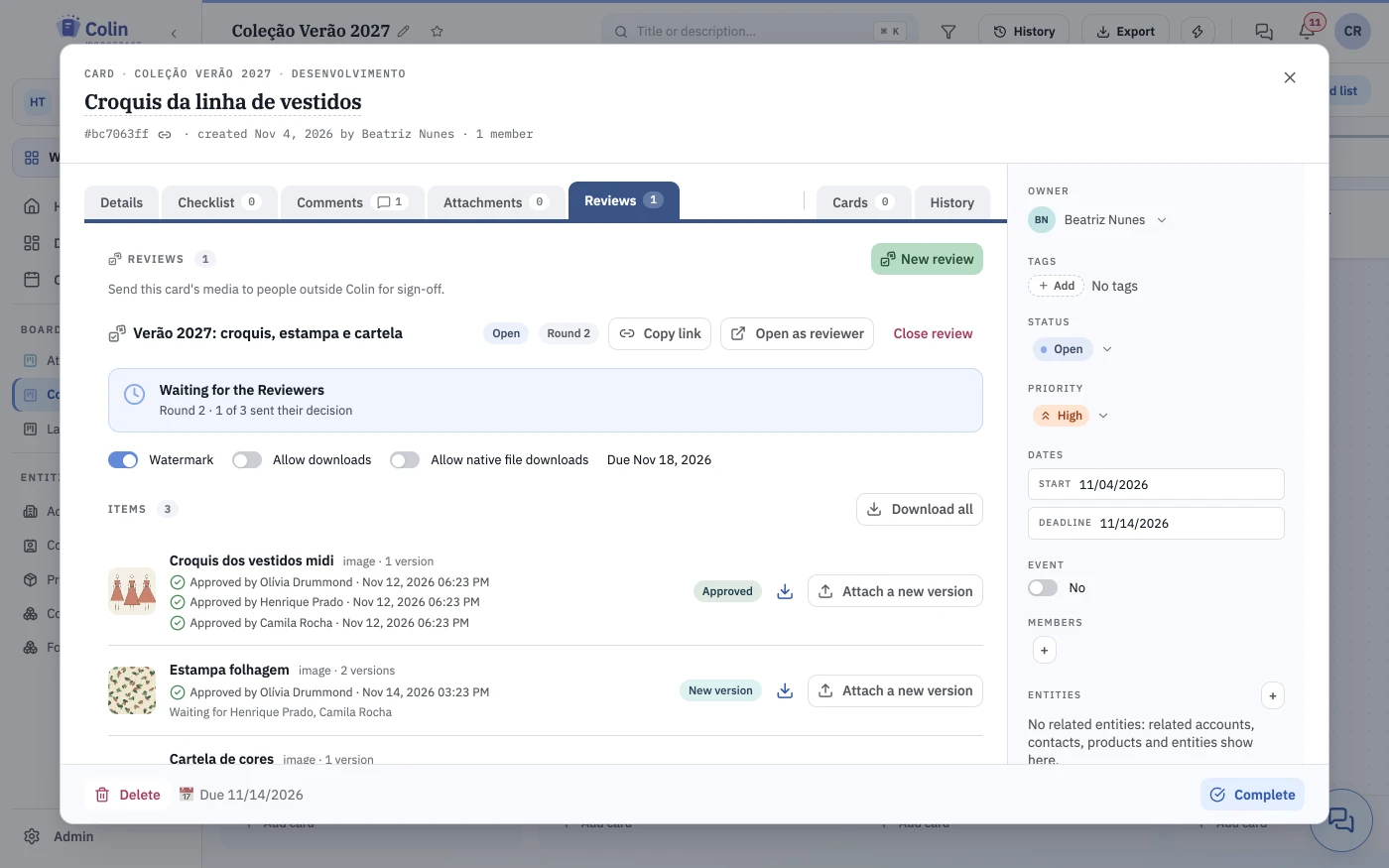
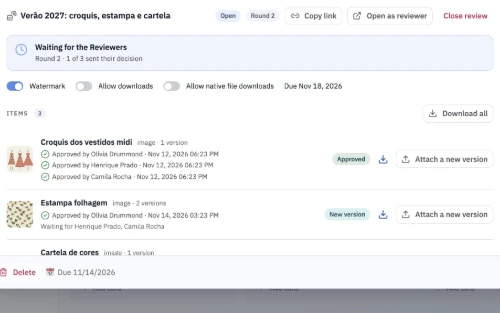
The card's Reviews tab holds the pieces that went to the client, each with its version and who has approved it. Up top you see where the round stands and how many reviewers have sent their decision. You can turn on the watermark, allow downloads and set a due date.
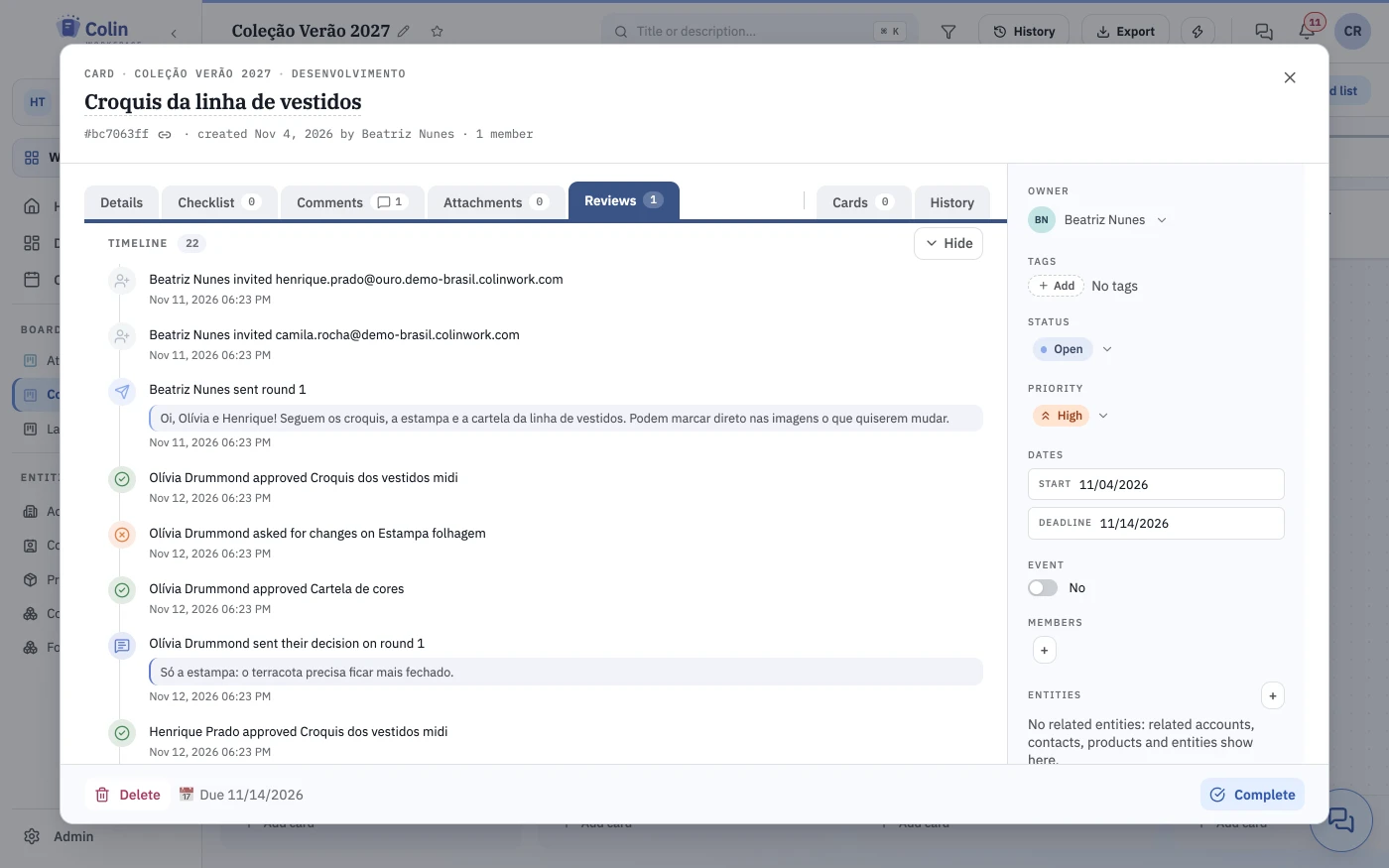
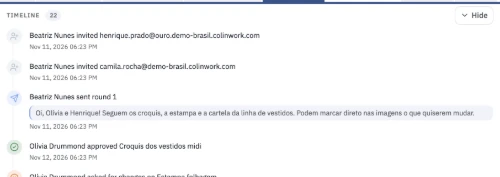
The review's timeline shows who was invited, when each round went out, the message sent with it and every approval or change request. Months later you can still tell who approved the print and on what day.
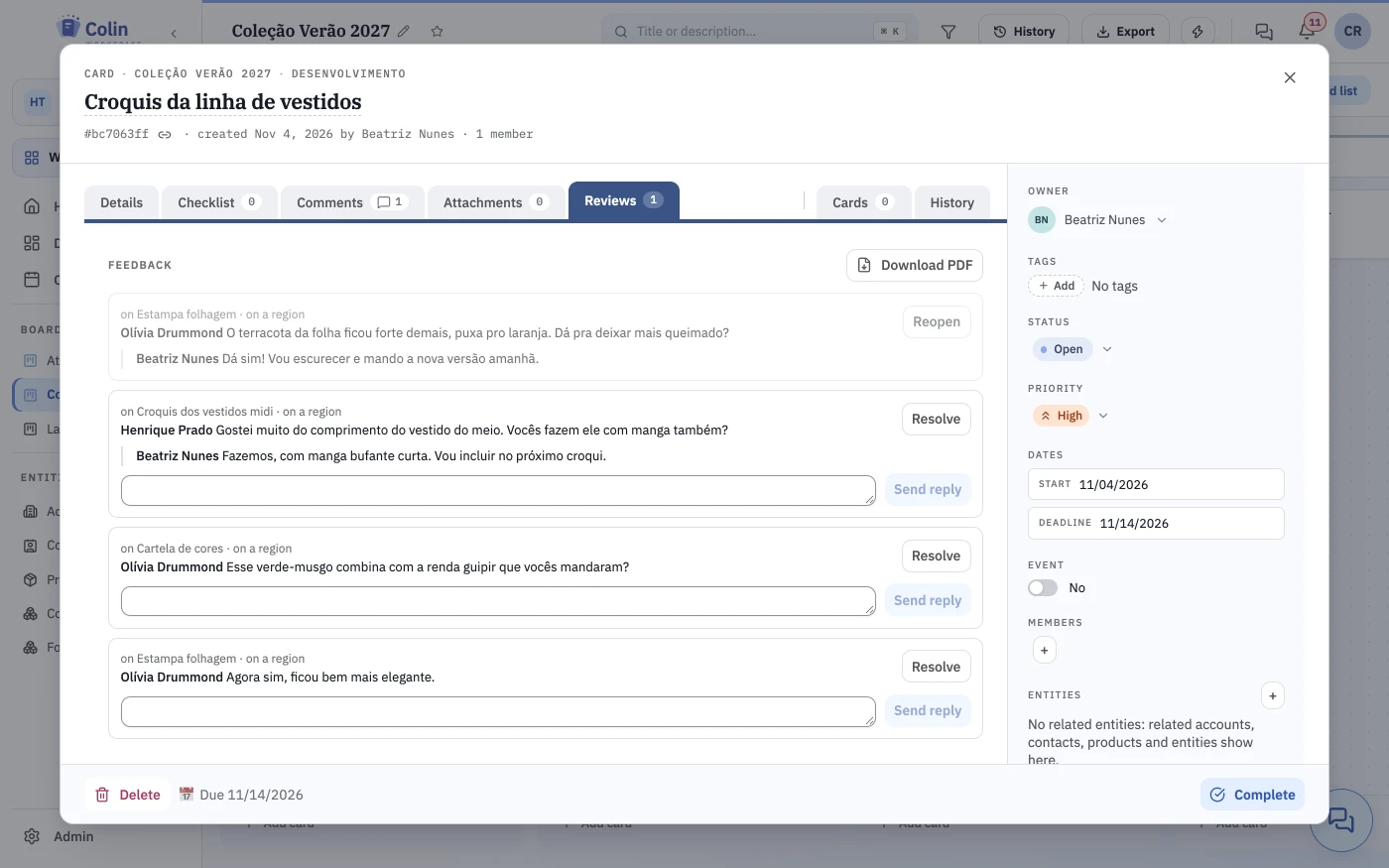
Each piece of the client's feedback arrives with the item and the spot where it was left. The team replies right there and marks it resolved once the change is in. No feedback is ever deleted.
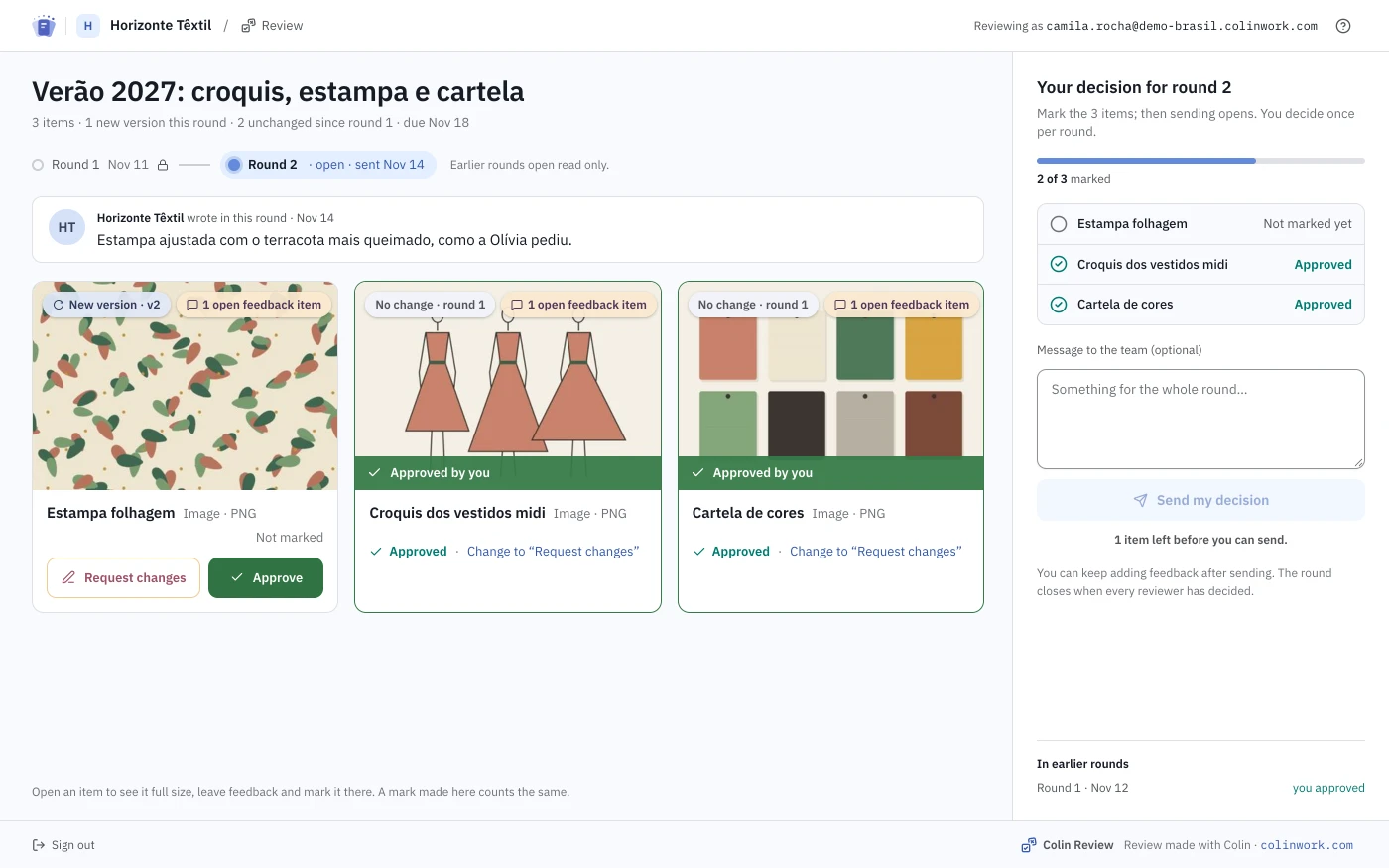
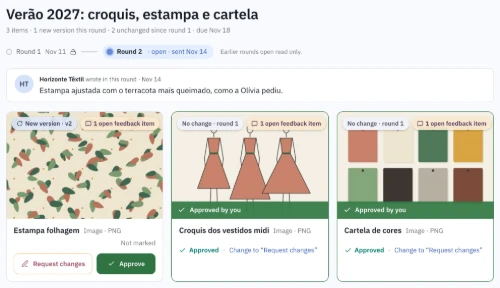
The reviewer sees the round's pieces, which are new versions and which haven't changed since the last round, and approves or asks for changes on each. Once they've marked them all, they send their decision for the round. Earlier rounds stay open, read only.
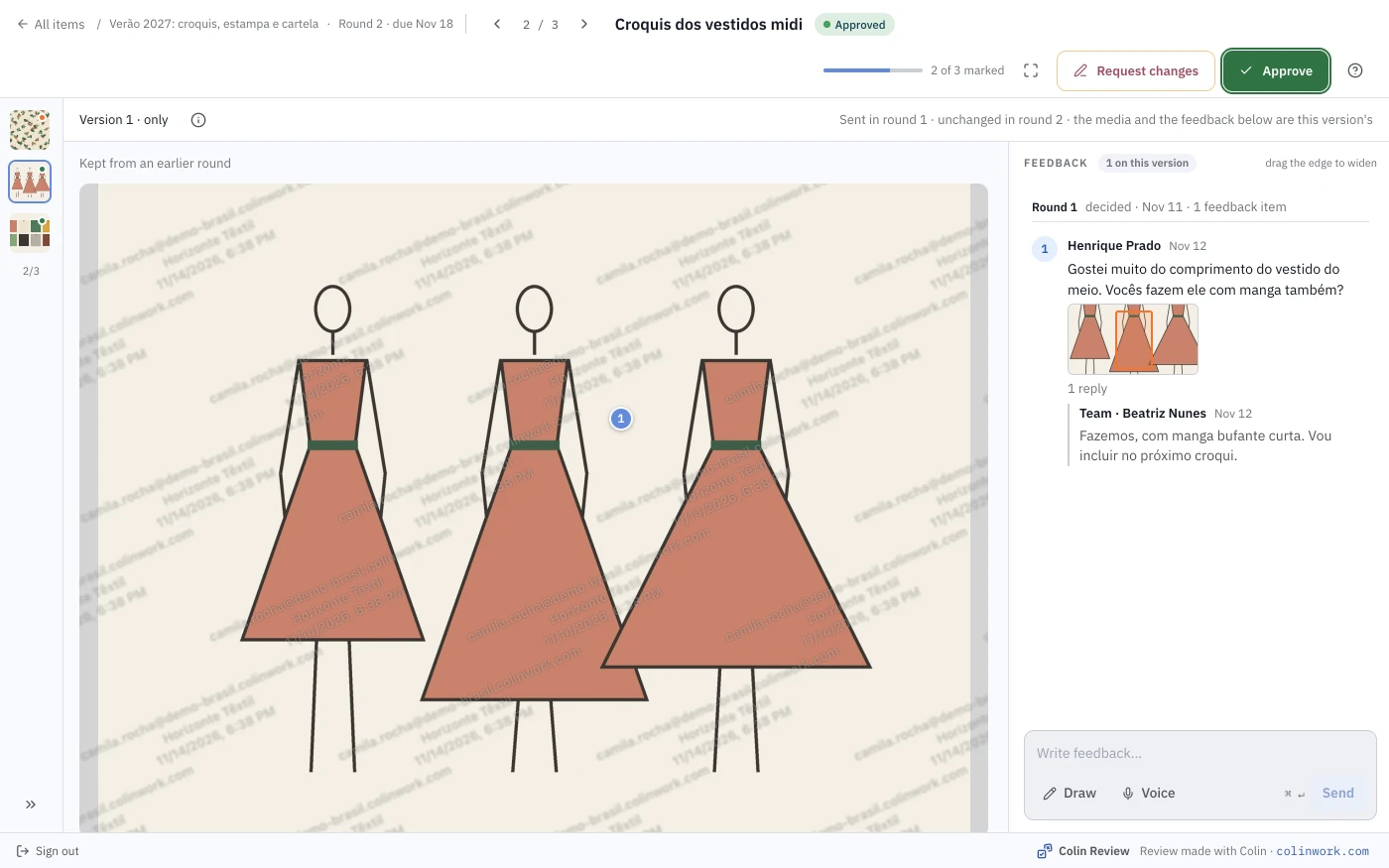
Opened full size, the piece shows under a watermark with the viewer's e-mail. The reviewer clicks the spot they want changed, draws if they need to and types or records a voice note. The team's reply shows right below.

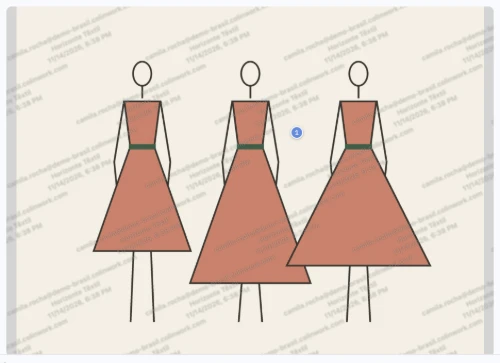
If a piece only moves on once someone outside approves it, the review fits on your card. A few examples:
A garment maker sends sketches, the print and the colour card to the collection's client and only releases cutting once everything comes back approved.
An agency sends campaign pieces and videos to the client, who marks the exact second of the video where the caption should change.
A manufacturer gets the label and packaging approved with the client's brand before sending the file to the printer.
A developer runs the launch material and the project's website past the board before they go live.
A food plant checks the box artwork and the nutrition table with its private-label client.
When the client asks for changes, attach the new file to the piece as its new version and send the next round. Whatever didn't change goes along with the approvals it already had.
No version is ever replaced. The new piece comes in as version 2, version 1 stays put, and the reviewer can compare them side by side, swipe one over the other or see only the difference.
The link alone opens nothing. The reviewer gets a six-digit code by e-mail, and each code works for that review only. Someone at your company invited by their own address gets in with their Colin session. Once the review is approved, the reviewers' access ends.
The watermark is drawn on the page, over the image: the original file doesn't change. Downloads start switched off and you allow them per review. Feedback is never deleted, and Colin's history records what happened without keeping its text.
It comes with Colin Workspace and Colin Suite, on every user tier. Invited reviewers don't need a Colin account. Colin Workspace starts at R$ 84 per user/month.
Boards with your process's lists and cards with an owner, a deadline, a checklist and the conversation.
When, if and then rules that move cards, call people in and tell other systems, on their own.
The invitation, the code and the due date reminder arrive by e-mail. Anyone who hasn't decided yet gets a nudge when the due date is less than a day away.
No. They get a link by e-mail, type in the six-digit code sent to the same address and see the pieces in their browser.
Images, videos, PDFs, 3D models, patterns (DXF or PLT) and a website's address. Each file becomes an item the client approves on its own.
By clicking the spot on the image, a moment in the video or a page of the PDF. They can draw over it, type and record a voice note of up to three minutes.
When every reviewer approves every piece in the round. If someone asks for changes on one, the round ends with changes requested and you send the next one.
Yes. The card gets a comment with the round's outcome, and a Trigger can react to it, for example by moving the card to production once everything's approved.
Downloads start switched off. With the watermark on, the viewer's e-mail, the company name and the time show over every piece.
The reviewer opens the page in the browser. The team sets up and follows reviews in Colin on the web. In the Mac app, the card's Reviews tab shows its reviews, read only and online.
Yes. The review's feedback comes out as a PDF, and the team downloads the round's pieces in a single zip.
Register a card, pick the apps and how many seats you want, and nothing is charged until the trial ends. Or we'll show you Colin with your company's boards and pipeline in 30 minutes.
 Chat on WhatsApp