Fashion and apparel
An apparel maker tells the retailer the samples have shipped and, a few days later, asks what they thought of the drape and the colours.
 Colin
Talk to us
Start free
Colin Sales · Sell
The company writes the first-contact message, the proposal-sent one and the order-invoiced one just once. The rep opens the contact, picks the template, Colin swaps in the name and the company, and WhatsApp opens with the text ready. What was sent becomes an activity on the customer.
Every day the team sends the same messages: the hello of a first contact, the heads-up that the proposal arrived, the visit reminder. Everyone keeps their own version in a phone note, or copies the last conversation and changes the name by hand. Sometimes they forget to change it.
And once the message is sent, it lives only on the phone of whoever sent it. If the customer calls about the proposal and someone else picks up, they don't know what was agreed. The CRM says the contact exists, and that's it.
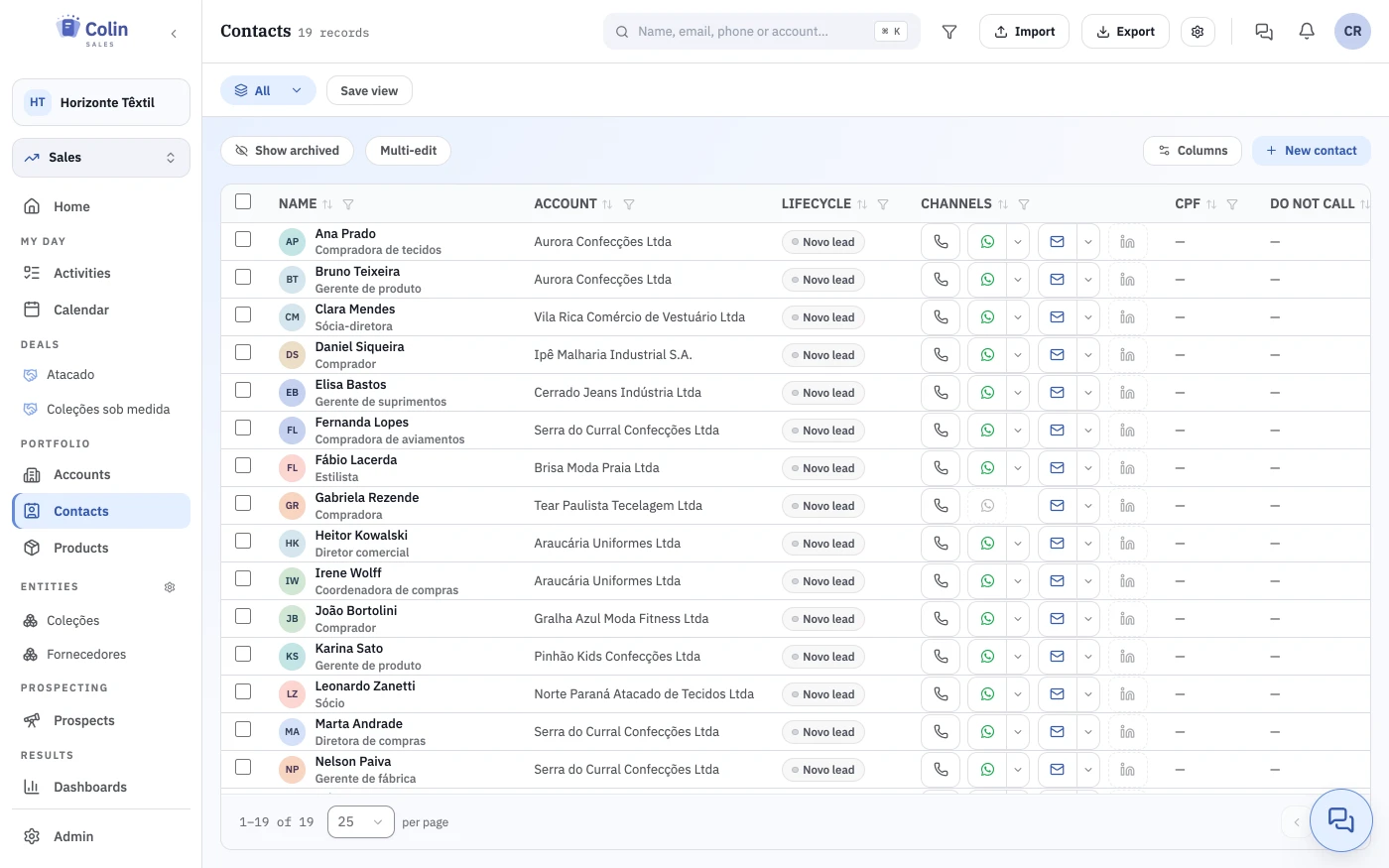
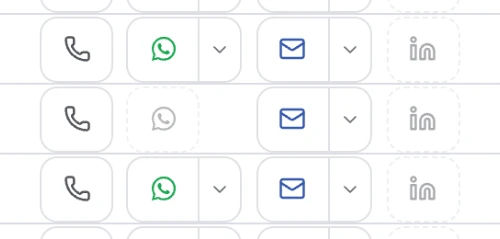
In the contacts list, the Channels column shows the call, WhatsApp, e-mail and LinkedIn buttons. What's missing is drawn dashed: click it and Colin asks for the phone or the e-mail right there. Anyone who asked not to get WhatsApp messages has the button turned off, and the reason shows on hover.
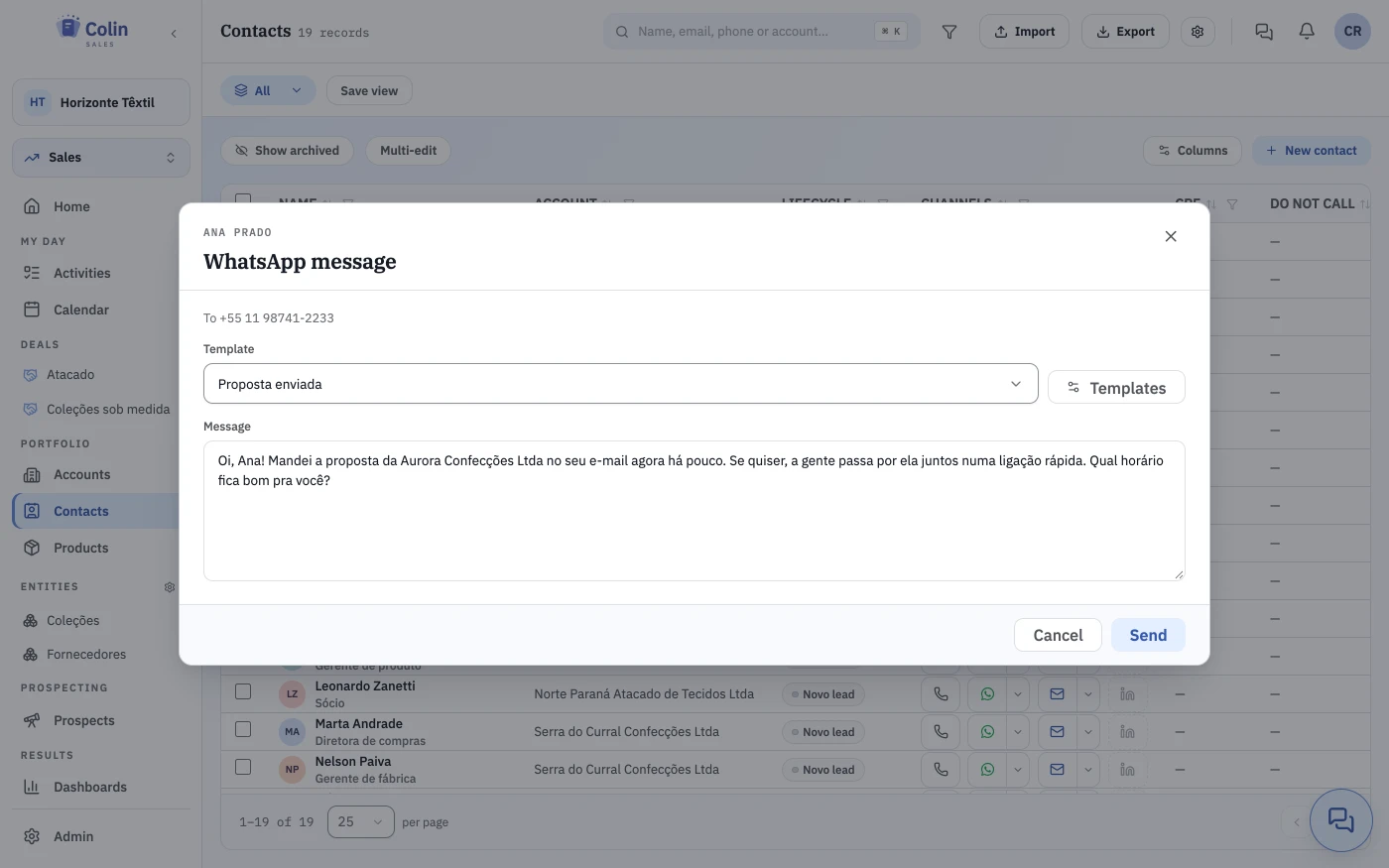
The arrow next to the green button opens the message. You pick a template, shared or your own, and the text arrives with the contact's first name and the account's name filled in. You can change it before sending. Send opens WhatsApp with the message ready and logs the activity.
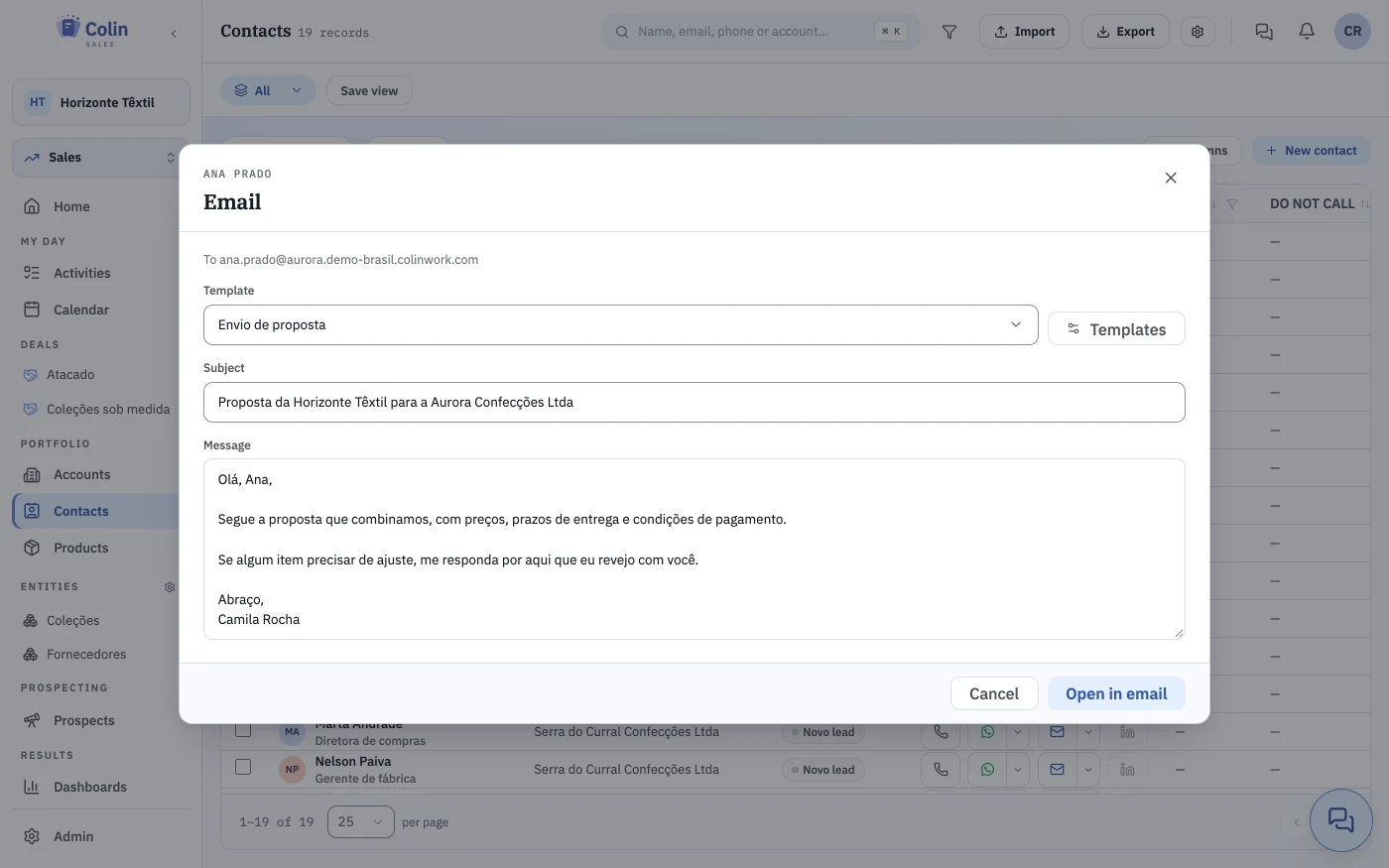
E-mail works the same way, with a subject. The Open in email button takes everything to the rep's e-mail program, which is where the message goes out from. Colin sends nothing on its own, and logs the subject and the text on the customer.
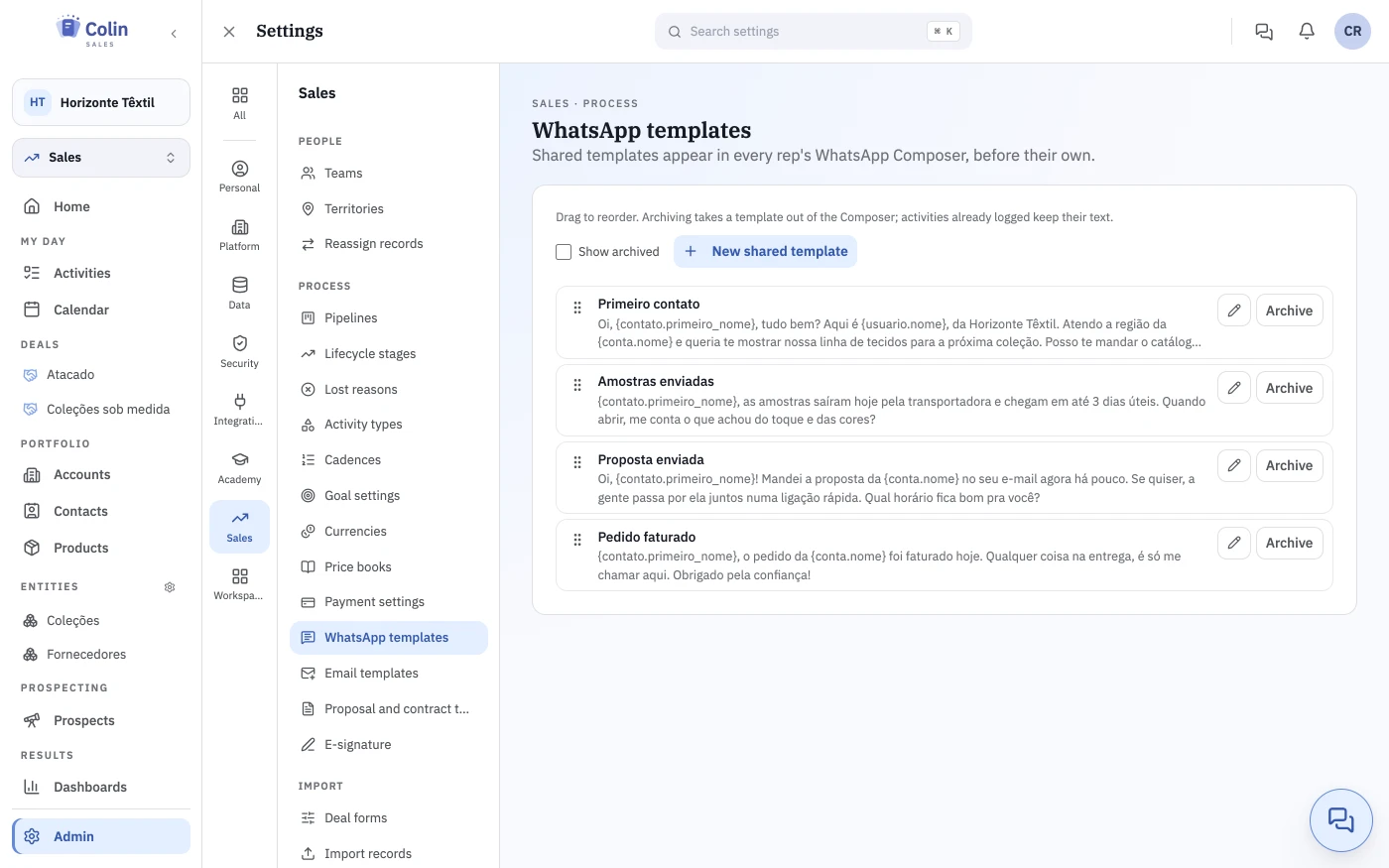
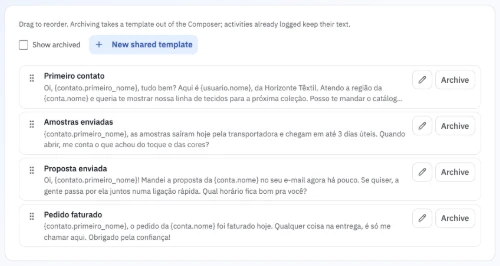
Under Admin, the shared templates sit in a list: create, edit, drag to reorder and archive. Every rep sees them, before their own personal templates.


It works for any team that repeats the same conversations and wants them to go out right and be logged. A few examples:
An apparel maker tells the retailer the samples have shipped and, a few days later, asks what they thought of the drape and the colours.
A manufacturer sends the proposal by e-mail with the same subject and the same introduction, whichever rep sends it.
A distributor lets the customer know on WhatsApp that the order was invoiced, and whoever deals with the customer next knows they were told.
A software company has a template for getting back in touch with people who went quiet after the demo.
A services firm confirms the next day's visit with each consultant's personal template.
Shared templates are written by whoever has the permission to manage them, administrators by default. Each rep can create their own with the Templates button, inside the message itself.
Every send becomes a completed activity on the contact and the account: a WhatsApp one, with the text and the template used, or an e-mail one, with the subject and the message. It sits in the customer's history, for whoever has access to it, just like a call or a meeting.
Colin Sales doesn't send the message for you. WhatsApp opens in the browser or the app with the text ready, and the e-mail opens in your e-mail program. The rep is the one who hits send, from their own account.
Anyone who asked not to get WhatsApp messages doesn't get them: the button is turned off, with the reason. An archived shared template leaves the list but is never deleted, and older activities keep the text that was sent. Only the rep sees their personal templates.
It comes with Colin Sales and Colin Suite, at every user tier. Colin Sales starts at R$ 100 per user/month.
A rep's day on one screen: the agenda, what's overdue and the next step with each customer.
In the iPhone and Android app, the contact's WhatsApp button opens the chat and logs the activity, and it's turned off for anyone who asked not to be messaged.
No. Colin Sales opens WhatsApp with the message ready, and the rep sends it from their own number. There are no automatic or bulk sends here.
No. The message opens through WhatsApp's link, in the browser or the desktop or phone app, with the contact's number and the text filled in.
The contact's first name, their full name, the account's name and the name of whoever is sending. If one is missing, the spot is left empty and Colin tidies the spaces around it.
Yes. With the Templates button, inside the message, each rep creates, edits and deletes their own. Only they see them. Shared ones come first, for everyone.
Whoever has the permission to manage them. By default that's administrators, and the company can give the permission to other roles.
No. The Open in email button takes the subject and the text to your e-mail program, and you send it from there. Colin logs the activity with the subject and the message.
The WhatsApp button is turned off for them, in the list, on the contact's page and on the phone, with the reason written out. E-mail and calls are still available.
Yes. Numbers from any country go through as they are. Only Brazilian numbers get checked to be a mobile, with the 9 after the area code.
Register a card, pick the apps and how many seats you want, and nothing is charged until the trial ends. Or we'll show you Colin with your company's boards and pipeline in 30 minutes.
 Chat on WhatsApp