Fashion and apparel
An apparel maker presents the collection to a chain's buyer on Teams and keeps on the meeting what they asked for in colours, sizes and lead time.
 Colin
Talk to us
Start free
Colin Sales · Sell
The salesperson books the meeting in Colin and it reaches Outlook as a Teams meeting. When the call ends, the transcript arrives on the meeting by itself, on the customer's account. And the meetings they booked straight in Outlook show up in a list, ready to log in one click.
A salesperson has three Teams meetings a day. They agreed on a deadline, heard a price objection, promised to send the new price list. When it's time to log it in the CRM, they type "meeting ok" and move on, because the next one is starting.
A week later nobody remembers what the buyer asked for. The manager wants to know why the deal stalled and has nothing to read. And half the meetings never reached the CRM at all, because they were booked straight in Outlook.
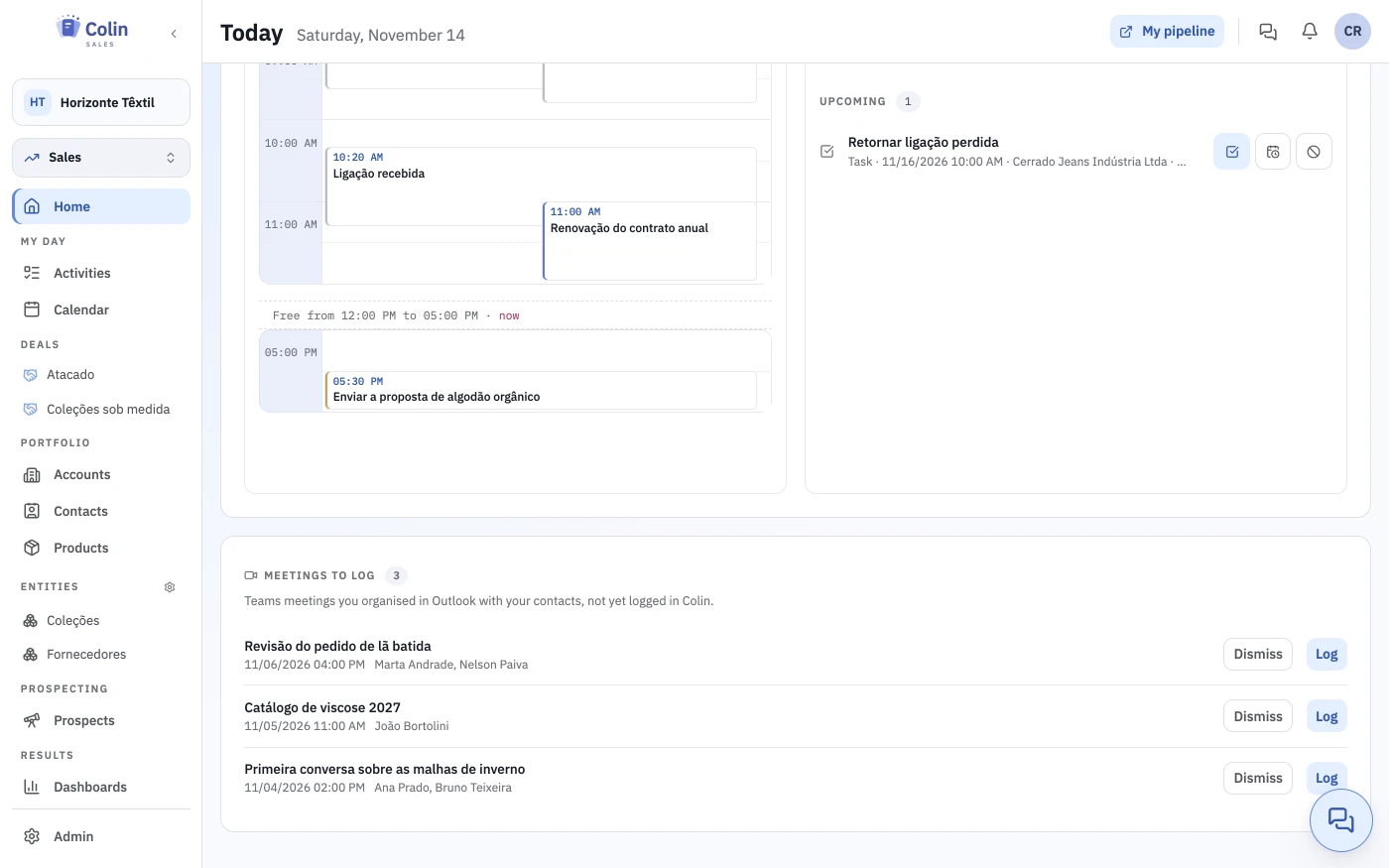
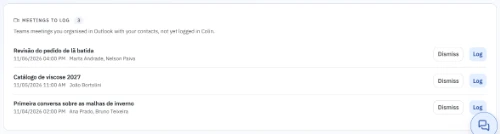
Sales Home lists the Teams meetings you organised in Outlook with your contacts that aren't in Colin yet. Log opens the meeting already filled in, with the contacts. Dismiss takes it off the list for good.
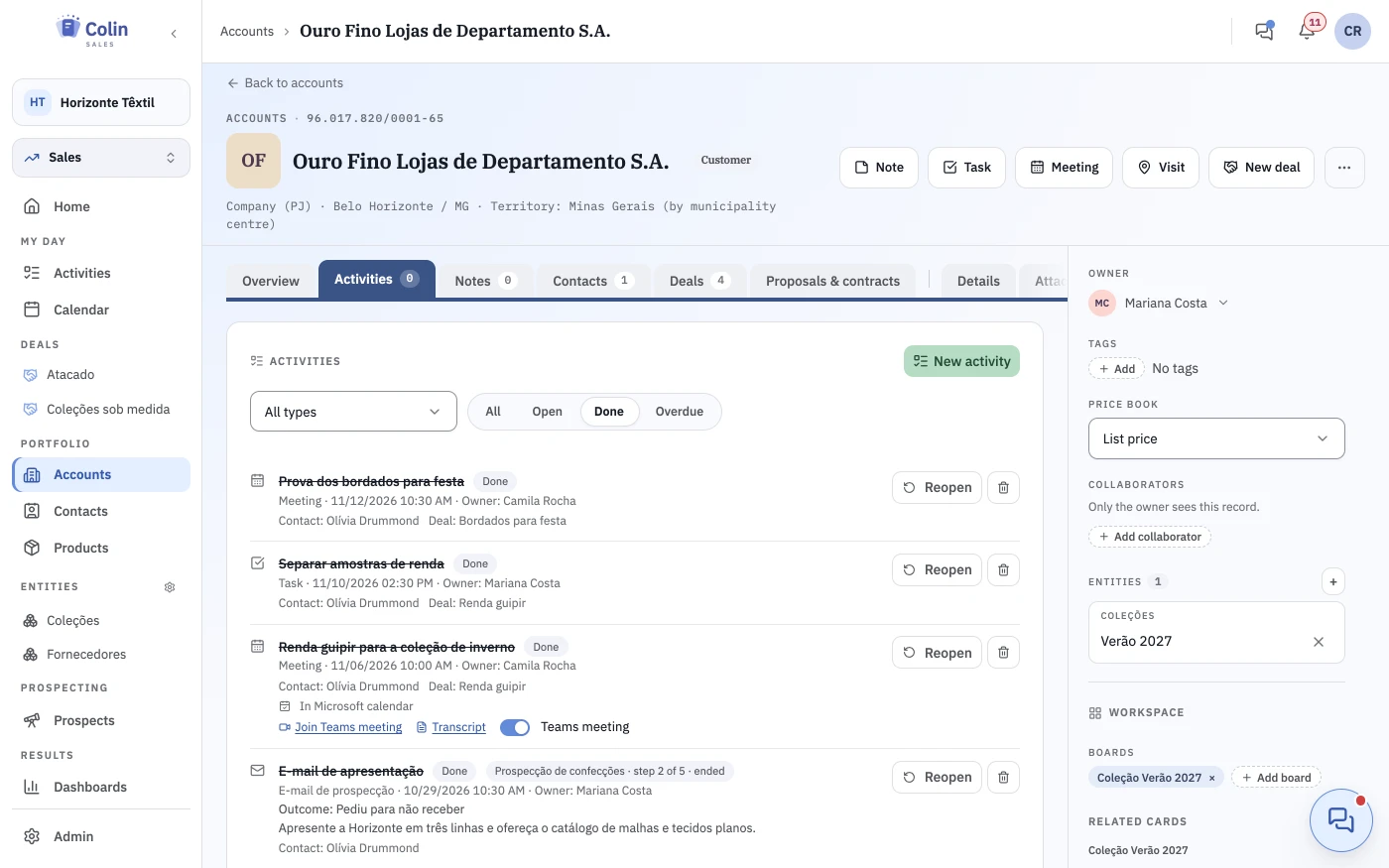
On the account's timeline, the meeting shows it's a Teams meeting, with the link to join and, once it's over, the transcript button.
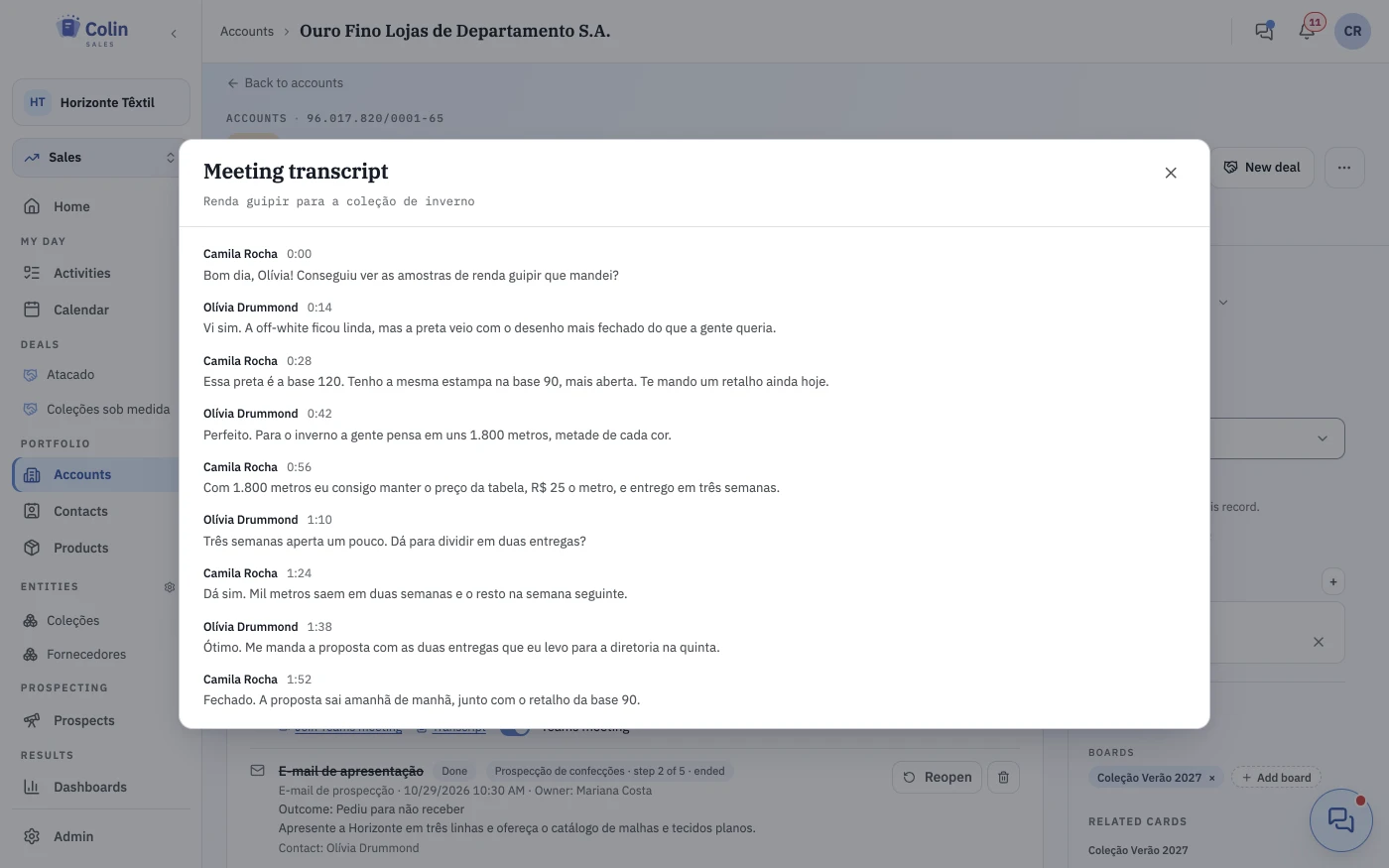
Who spoke, at which minute and what they said, in the order of the conversation, as Teams transcribed it.
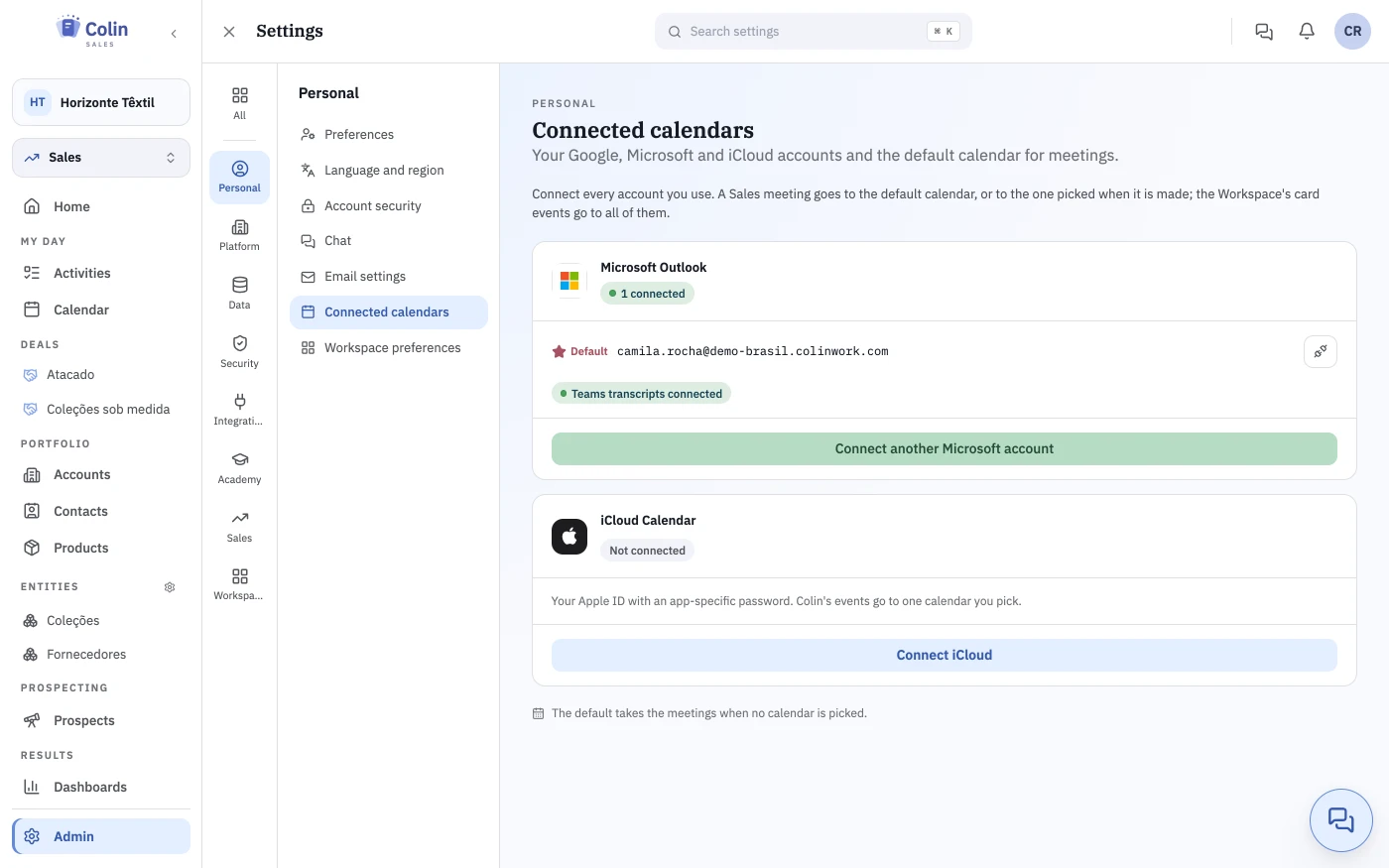
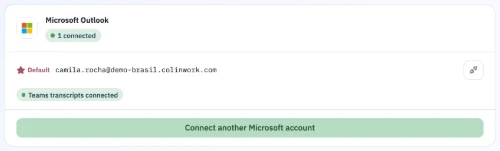
Each salesperson connects their Microsoft calendar and, on the same account, connects Teams transcripts. The calendar keeps working as before.


It works for any sales team that already uses Microsoft 365 and meets customers on Teams. A few examples:
An apparel maker presents the collection to a chain's buyer on Teams and keeps on the meeting what they asked for in colours, sizes and lead time.
A manufacturer holds the technical meeting with the customer's engineer and the agreed specification stays on the account, for the proposal.
A distributor negotiates the quarter's restock over a video call and the manager reads later what was agreed.
A software company runs the demo on Teams and the customer's questions stay on the meeting, on their account.
A services firm logs the scoping meeting with the client and the transcript helps write the proposal.
Microsoft may ask your company's Microsoft 365 administrator to approve access to transcripts. If so, Colin shows a link to send them, and the connection waits until it's approved.
Colin records nothing and no bot joins the call. Teams itself transcribes, and Colin only imports the transcript. When you book a meeting in Colin, the Auto-transcribe option asks Teams to record and transcribe from the start, and Teams shows its own notice to everyone on the call. If your company's Teams policy doesn't allow it, the meeting says so, and you can still start transcription by hand.
Colin only reads meetings the salesperson organised, in their own Microsoft account. A meeting booked by the customer or by a colleague is never read. The transcript is looked for 10 minutes, 1 hour and 6 hours after the end. If Teams didn't transcribe, the meeting says so.
Whoever can see the meeting can read the transcript, and nobody else: it isn't shared with the team, isn't exported, isn't searchable and doesn't go to the phone or to assistants. Transcripts are kept 90 days, or for the period the administrator chooses. When a contact who was in the meeting asks to be erased, the whole transcript goes with them.
It comes with Colin Sales and Colin Suite, in every user tier. Your company needs Microsoft 365 with Teams. Colin Sales starts at R$ 100 per user/month.
A rep's day on one screen: the agenda, what's overdue and the next step with each customer.
A meeting booked in Colin goes to the Outlook calendar with the Teams link, and the transcript comes back to the meeting in Colin.
No. Teams records and transcribes, with its own notice to everyone on the call. Colin imports the transcript Teams made.
For now, only with Microsoft Teams.
If it's a Teams meeting you organised in the last 30 days with one of your contacts, it shows up in Meetings to log. Log creates the meeting in Colin and the transcript follows.
No. Colin only reads meetings you organised in your Microsoft account.
Yes. On the meeting, choose Attach Teams meeting and pick one of your meetings from the last 30 days that has a transcript.
Whoever can see the meeting in Colin. It isn't shared with the rest of the team, even when the account is.
Colin looks for it up to 6 hours after the end. If Teams didn't transcribe, the meeting tells you. If the Microsoft connection dropped, it asks you to reconnect, and the import resumes once you do.
90 days, unless someone changes it. The administrator picks another period in Meeting notes, or keeps them forever.
Register a card, pick the apps and how many seats you want, and nothing is charged until the trial ends. Or we'll show you Colin with your company's boards and pipeline in 30 minutes.
 Chat on WhatsApp