Distribution and wholesale
A distributor with a telesales team calls its reorder book in sequence and sees on each customer's history when they last spoke.
 Colin
Talk to us
Start free
Colin Sales · Sell
Colin Sales talks to your company's net2phone. The rep clicks the contact's phone number, talks through the browser and, when they hang up, the call is already on the customer's history, with direction, duration and result. Whoever called and got no answer becomes a callback task.
The rep spends the morning on the phone. They talk to twelve customers, leave messages for five more and, at the end of the day, try to remember what was agreed on each call to put it in the CRM. Half of it never gets logged. The other half turns into "called, follow up next week", with no date and no owner.
Meanwhile, the phone rang over lunch and nobody picked up. The number sits in the handset's history, but it doesn't say whose it is, and nobody calls back. For the manager, "how many calls did the team make today, and to whom?" has no answer, because the phones and the CRM live in places that don't talk to each other.
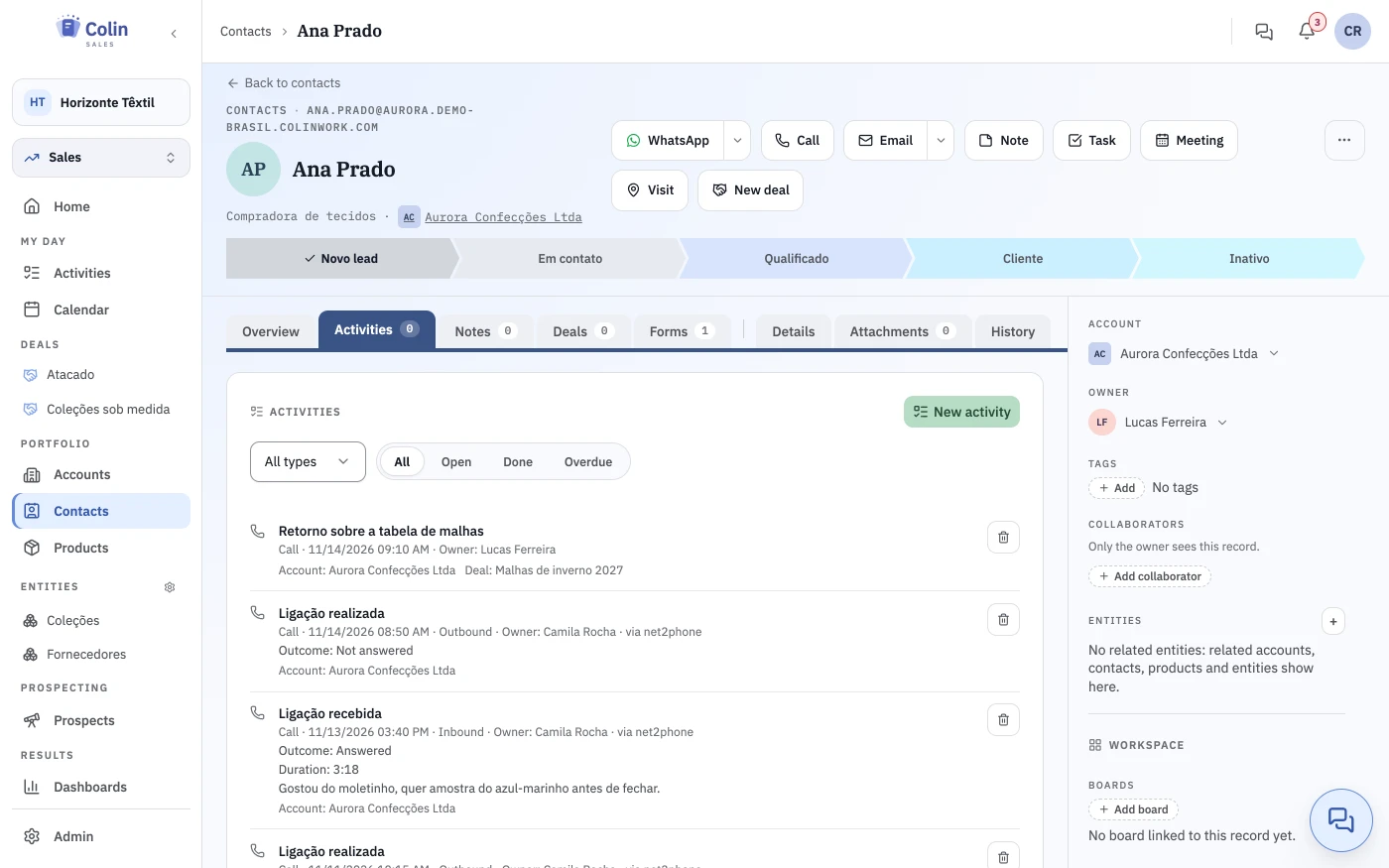
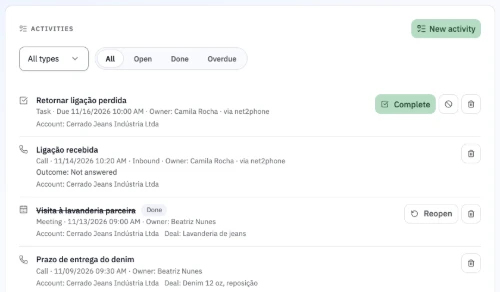
Every call made or taken through net2phone lands as a call activity on the contact, marked net2phone. It shows whether it was inbound or outbound, how long it lasted, whether it was answered and the rep's notes. Nobody has to fill in a form after hanging up.
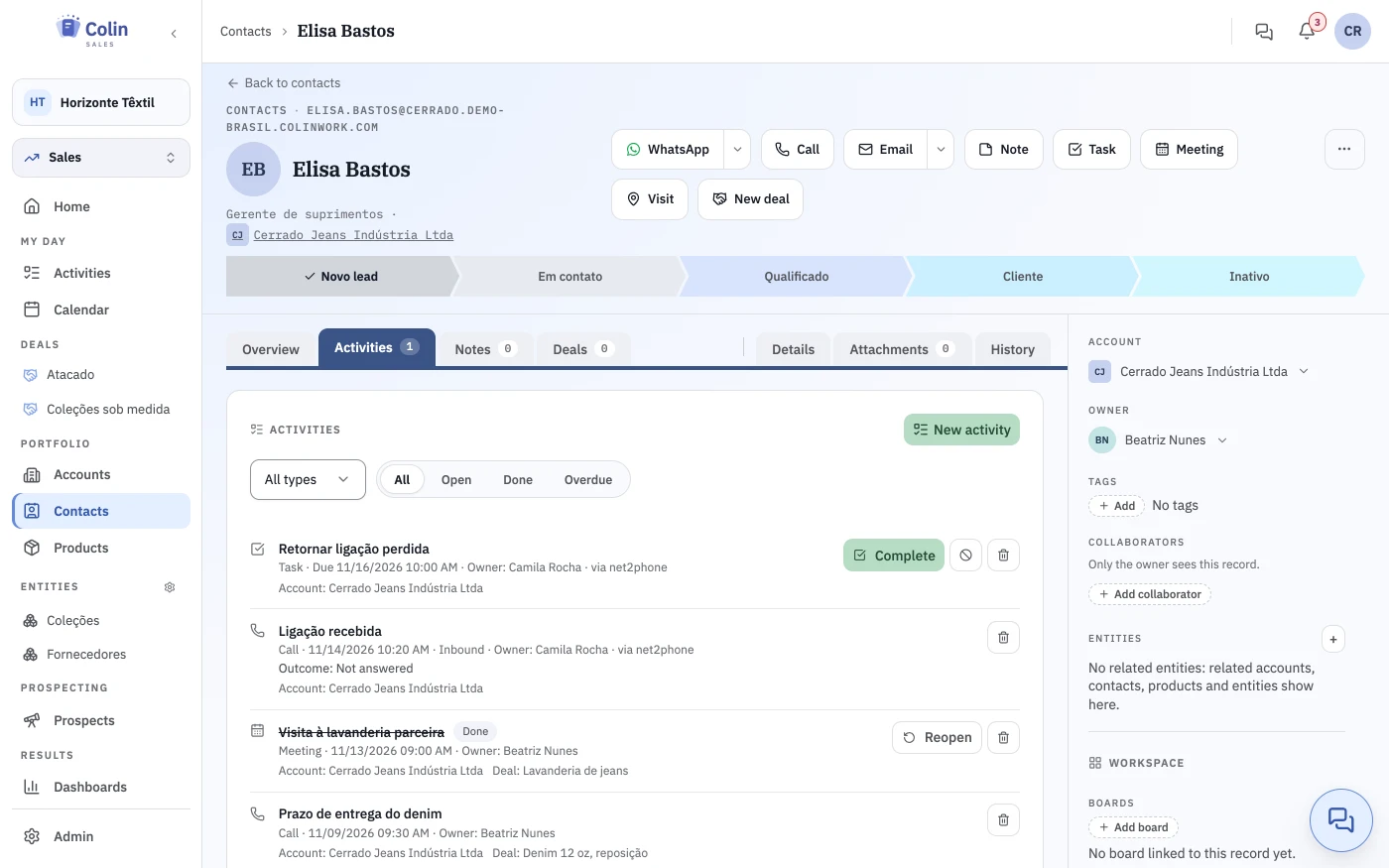
When someone calls and nobody answers, Colin logs the call as not answered and creates a task to call back for the rep whose phone rang. It's due one business hour later, so the callback doesn't slip to tomorrow.
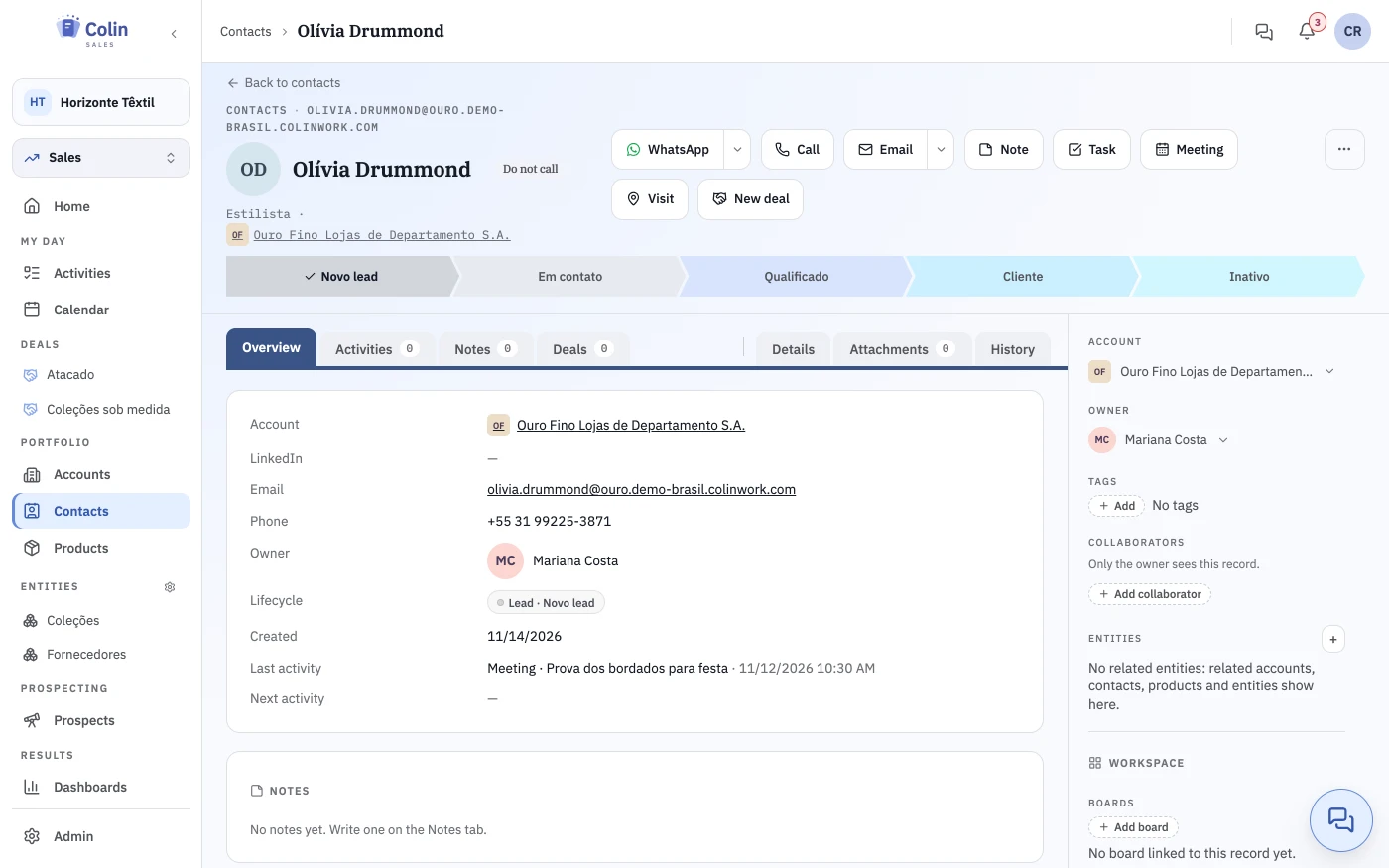
A contact who asked not to be called gets the Do not call mark, shown at the top of the page. It keeps them out of power dial sessions, and it also shows on the list, in exports and in imports.

It works for any team that calls customers every day and needs each conversation on record. A few examples:
A distributor with a telesales team calls its reorder book in sequence and sees on each customer's history when they last spoke.
A manufacturer takes calls from reps and retailers on the same number, and each call lands on the right contact, linked to the deal under discussion.
An apparel maker calls its retailers in collection week, and whoever didn't pick up comes back as a callback task in the rep's day.
A software company does pre-sales over the phone and measures, per person, how many calls were answered that week.
A services company takes a call from a new customer, sees right away whether the number is already in the CRM and creates the contact if it isn't.
Without net2phone connected, the Call button still works: it opens the computer's or phone's dialler and the call is logged by hand, as an activity.
The call becomes an ordinary call activity, the same one a rep would log by hand, only written by net2phone. If the same call arrives twice, it's still one call. Its owner is the rep who took or made it. It sits on the contact, on the account and, if the rep picks one, on the deal, and only where they have access.
Who sees the calls follows the rule for activities: reps see their own, managers see those of the team they lead and administrators see everything. Even when a team shares its book, each person's calls stay theirs. In the audit log, phone numbers are masked, like other personal data.
If net2phone can't save a call to Colin after its retries, it isn't lost: it shows up in a list in Admin, Telephony, where the administrator retries or dismisses it. Colin doesn't record the audio of calls.
It comes with Colin Sales and Colin Suite, at every user tier. The net2phone account is contracted separately, directly with net2phone. Colin Sales starts at R$ 100 per user/month.
A rep's day on one screen: the agenda, what's overdue and the next step with each customer.
In the iPhone and Android app, calls show on the contact's history, and the call button uses the device's own phone.
For the call to start inside Colin and log itself, yes: the integration is with uContact, net2phone's contact centre platform, on your own company's account. Without it, the Call button opens the device's dialler and you log the call by hand.
You click the phone number of the contact, the account or the deal, or the Call button on the contact's page. Colin opens the phone panel on the right, dials through uPhone and already knows which record the call came from, so it's logged there.
Yes. uPhone stays loaded while Sales is open, so the phone rings even with the panel closed. When it rings, the panel opens and shows who's calling: the contact, the account and the open deals, if the number is already in the CRM.
The inbound call is logged as not answered, and Colin creates a task to call back, for the rep whose phone rang, or for a default owner the administrator picks. It's due one business hour later, Monday to Friday, 9 am to 6 pm São Paulo time.
Not today. The call lands in Colin with its direction, duration, result and the rep's notes, without the audio.
It has no predictive dialer. It has power dialing: the rep picks a list of contacts and Colin calls them one at a time from their uPhone, with a short pause between calls. Never more than one call per rep, and only while they have Colin open.
Mark the contact Do not call. They leave power dial sessions, and the mark shows on the contact and on the list. A click-to-call is still possible, because sometimes it's the customer who asks for the callback.
The call uses the lines and extensions your company has on net2phone. Colin doesn't change carriers or touch your numbers: it talks to the net2phone you already use.
Register a card, pick the apps and how many seats you want, and nothing is charged until the trial ends. Or we'll show you Colin with your company's boards and pipeline in 30 minutes.
 Chat on WhatsApp